On-Page SEO Checklist for WordPress Websites
You hit publish on a new WordPress post, wait a few weeks, and check your analytics. Almost no organic traffic. It’s frustrating, especially when you put real effort into the content. But here’s the thing. Google doesn’t rank pages just because they exist. It ranks pages that are properly optimized.
WordPress gives you a solid foundation for SEO. But out of the box, it doesn’t do everything for you. There are dozens of on-page factors that affect whether your content shows up in search results or gets buried on page five. Things like your URL structure, heading tags, meta descriptions, image optimization, and site speed all play a role. Missing even a few of these can hold your entire site back.
This post is a practical, step-by-step on-page SEO checklist built specifically for WordPress. It covers the foundational setup you need to get right first, content optimization strategies that help you rank higher, and the technical performance tweaks that keep both Google and your visitors happy. Bookmark it and work through it one section at a time.
Follow this on-page SEO checklist for WordPress to optimize titles, headings, URLs, images, links, schema, and content for better Google rankings.
Foundational On-Page SEO for Your WordPress Site
Getting your WordPress site ready for search engines starts with setting up the right foundation. You can’t optimize what you can’t measure, and you can’t measure without the proper tools in place. Let’s walk through the essential building blocks that will make everything else easier.
Essential WordPress SEO Plugins & Tools
WordPress gives you a powerful platform, but it needs the right plugins to unlock its full SEO potential. Think of these tools as your control panel for visibility.
Start by installing a reputable SEO plugin. Yoast SEO, Rank Math, or All in One SEO (AIOSEO) are your best bets. These plugins simplify complex optimization tasks that would otherwise require coding knowledge. They guide you through adding title tags, meta descriptions, XML sitemaps, and schema markup without touching a single line of code. You’ll get instant feedback on your content as you write, making optimization feel less like guesswork and more like following a helpful assistant.
Next, set up Google Search Console. This free tool is your direct line to how Google sees your site. It monitors your performance in search results, tracks which keywords bring visitors your way, and identifies technical issues that might be holding you back. When Google finds a problem with your site, Search Console is where you’ll hear about it first.
Don’t stop there. Integrate Google Analytics too. While Search Console shows you what happens in search results, Analytics reveals what happens after people click through. You’ll gain insights into audience behavior, discover where your traffic comes from, and understand which pages keep people engaged. These two tools work hand in hand to give you the complete picture.
One more thing: consider setting up Bing Webmaster Tools. Google dominates search, sure, but Bing still commands a significant user base. Setting up Bing’s tools takes minimal effort and opens your site to another entire search audience. Why leave that traffic on the table?

Optimizing Permalinks (URL Structure)
Your URL structure matters more than you might think. Clean, readable URLs help both search engines and humans understand what a page is about before even clicking.
Ensure your permalinks are descriptive and reflect the actual content of the page. WordPress defaults to ugly URLs with question marks and numbers. Change that immediately. Go to Settings > Permalinks and choose either “Post name” or create a custom structure that works for your site. A URL like yoursite.com/wordpress-seo-checklist communicates clearly. A URL like yoursite.com/?p=123 tells nobody anything.
Include your primary keyword in the URL slug, preferably close to the beginning. If your page targets “email marketing tips,” your URL should contain those words. Search engines pay attention to URL keywords, and users feel more confident clicking links that match their search intent.
Always use hyphens to separate words. Write your-keyword-here, not your_keyword_here or yourkeywordhere. Search engines read hyphens as spaces. Underscores? Not so much.

Keep URLs short and skip unnecessary stop words. Words like “and,” “the,” “a,” or “of” add length without adding meaning. The URL best-seo-practices works better than the-best-and-most-effective-seo-practices.
Kropme’s Web Designing services ensure SEO-friendly URL structures are implemented from the initial website setup, contributing to better search engine understanding and user experience right from day one.
Crafting Effective Title Tags & Meta Descriptions
Your title tag and meta description form the first impression in search results. Get them right, and people click. Get them wrong, and your content stays invisible no matter how good it is.
Place your primary keyword near the start of your title tag. This clearly communicates page content to both search engines and users scanning results. “WordPress SEO Checklist: Complete Guide” beats “The Complete Guide You Need for WordPress SEO” every time.
Write clear, descriptive titles that accurately reflect your content and entice clicks. Keep them under approximately 60 characters to prevent truncation in search results. Nothing frustrates users more than a cut-off title that leaves them guessing what the page actually covers.
Develop compelling meta descriptions that summarize your page content. Include your target keyword naturally and give users a reason to choose your result over the nine others on the page. Answer the question “Why should I click here?” in about 105 to 160 characters. Going longer risks having your description cut off, which looks sloppy and unprofessional.
Your meta description isn’t a direct ranking factor, but it influences click-through rates. Higher click-through rates signal to search engines that users find your content relevant, which can boost rankings indirectly.
Implementing Proper Heading Tags (H1-H6)
Heading tags create structure. They tell both readers and search engines how your content is organized and what matters most.
Use one H1 tag per page for your main headline. Think of it as your page’s title. It should clearly describe what visitors will find. Multiple H1 tags confuse the hierarchy and dilute your message.
Structure everything else using H2, H3, and further heading tags. H2s mark major sections. H3s break down those sections into subsections. H4s and beyond? Use them when you need even deeper organization, but most content works fine with just H2s and H3s. This clear hierarchy improves readability and helps search engines understand how topics relate to each other.
Include your primary keyword and related terms naturally within your heading tags. Don’t stuff keywords awkwardly. Write for humans first. If “WordPress SEO” fits naturally in your H2, great. If forcing it makes the heading sound robotic, skip it.
Keep reasonable spacing between headers. Aim for no more than 300 words before introducing the next heading. Large walls of text overwhelm readers and hurt readability. Breaking content into digestible chunks keeps people engaged and makes scanning easier. Search engines notice engagement metrics too.
Content Optimization Strategies for Higher Rankings
Getting your content right is what separates pages that rank from pages that get buried. You can have the most technically perfect WordPress site in the world, but if your content doesn’t hit the mark with both readers and search engines, you’re not going anywhere. Let’s break down what actually works.
Strategic Keyword Research & Integration
Keyword research isn’t about stuffing your content with whatever gets the most searches. Start by identifying target keywords based on three critical factors: search volume (how many people are looking), keyword difficulty (how competitive it is), and search intent (what people actually want when they type it in). Search intent breaks down into four types: informational (learning something), navigational (finding a specific site), commercial (researching before buying), and transactional (ready to purchase).

Long-tail keywords are your secret weapon. These are phrases with two or more words that tend to have lower competition and convert way better than generic single-word keywords. Someone searching “WordPress SEO” could want anything. Someone searching “how to optimize WordPress page speed for SEO” knows exactly what they need.
Question-based keywords deserve special attention. When you create content that directly answers “how to,” “what is,” or “why does” questions, you massively increase your chances of landing featured snippets. Those position-zero results at the top of Google are gold for traffic.
Place your main keyword naturally in both your first and last paragraphs. Search engines give extra weight to these bookend sections. Don’t force it. If it reads awkwardly, rewrite the sentence until it flows naturally.
Kropme’s SEO Optimization services include comprehensive keyword research to ensure your WordPress content targets the most relevant and high-converting search terms, aligning with user intent and business goals.
Creating High-Quality, E-E-A-T Compliant Content
Google has gotten scary good at spotting thin, unhelpful content. Your content needs to be accurate, factually correct, and up-to-date. Most importantly, it needs to actually satisfy what the searcher wanted to find. If someone lands on your page and immediately bounces back to Google, that’s a ranking killer.
Original content is non-negotiable. Copying from other sources or even duplicating your own content across multiple pages splits your ranking power and confuses search engines about which version to show. Offer unique value that people can’t find anywhere else.
The E-E-A-T framework (Expertise, Experience, Authoritativeness, and Trustworthiness) matters more than ever, especially for “Your Money Your Life” topics that affect health, finances, or major life decisions. Demonstrate expertise through detailed, accurate information. Show experience by including real examples, case studies, or firsthand insights. Build authority through credentials and quality backlinks. Earn trust through transparency, citations, and secure site practices.
Run a content gap analysis regularly. Look at what your competitors cover that you don’t, and identify missing pieces that align with different stages of the user journey. Not everyone who lands on your site is ready to buy. Some need education first, others need comparison information, and some just want quick answers.
Structuring Content for Readability & AI Search
Content structure isn’t just about making things pretty. It’s about making your content easily scannable for both human readers and search algorithms. Use header tags (H1 through H6) to create a clear hierarchy that guides people through your ideas.
Each section should focus on one specific subtopic or question. Lead with the direct answer immediately after your subheading. This matters for traditional SEO and for AI-powered search features. When ChatGPT or Google’s AI Overviews pull information, they prefer clear, direct answers at the top of sections.
Formatting elements do heavy lifting here. Bullet points make lists scannable. Numbered steps guide people through processes. Bold key terms help readers quickly identify important concepts. These aren’t just style choices; they improve comprehension and keep people on your page longer.
Keep your paragraphs self-contained when possible. Each section should make sense even if someone only reads that part. This increases the likelihood of your content being incorporated into AI-generated answers, which are becoming a massive source of traffic.
Enhancing Engagement with Visuals & Multimedia
Generic stock photos do nothing for your SEO. Choose visuals that actually reinforce your content’s message and add value. Screenshots demonstrating a process, custom graphics explaining a concept, or original photography showing your work all help more than that overused image of a person pointing at a laptop.
Alt text isn’t optional. Add descriptive alt text to every meaningful image, including your keywords naturally where they fit. This helps search engines understand what the image shows and makes your content accessible to visually impaired users who rely on screen readers.
Image compression is crucial. Massive image files destroy your page load times, which tanks both user experience and rankings. Compress every image to reduce file size without sacrificing visible quality. Plenty of free tools and WordPress plugins handle this automatically.
Videos boost engagement, but hosting them directly on your WordPress site slows everything down. Host videos on YouTube and embed them instead. This keeps your page load times fast and gives you potential additional visibility through YouTube search.
Internal & Outbound Linking Best Practices
Internal linking is probably the most underused SEO tactic on WordPress sites. Use internal links to connect relevant pages within your site. This helps readers discover more of your content and signals to search engines how your pages relate to each other, strengthening your topical authority.
Anchor text matters more than you think. Use descriptive anchor text that tells both readers and search engines what they’ll find when they click. “Click here” tells nobody anything. “WordPress security best practices” sets clear expectations.
Build strategic outbound links to authoritative external sites. This provides additional context for readers and builds your site’s credibility by showing you’ve done your research and aren’t afraid to cite quality sources.
Develop topic clusters for comprehensive coverage. Create cornerstone content (detailed pillar pages on broad topics) and then link to and from related subtopic pages that dive deeper into specific aspects.
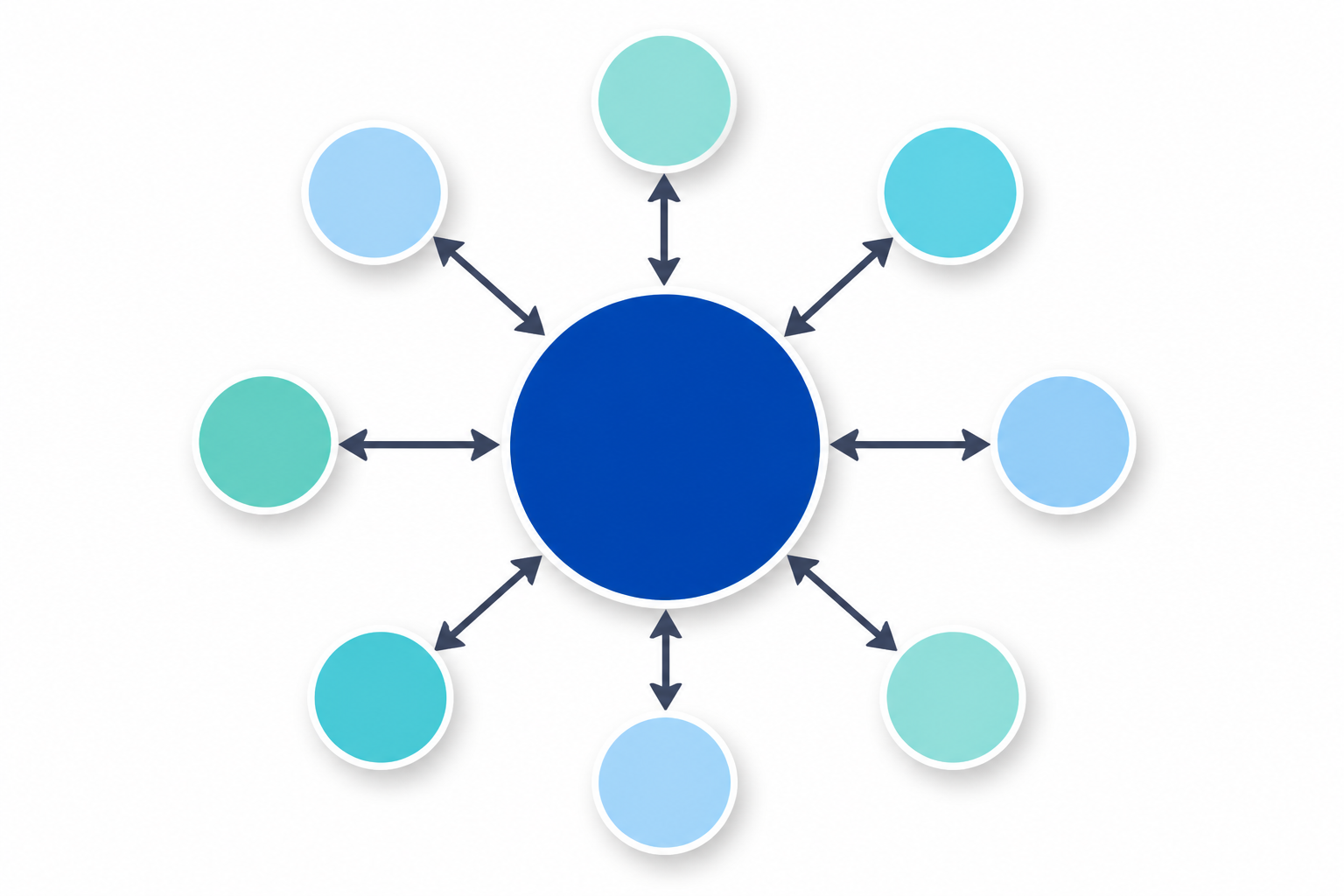 This interlinking structure shows search engines that you’re a genuine authority on the subject, not just someone who wrote one random blog post.
Conclusion
A well-optimized WordPress website is not built by focusing on just one SEO factor. Moreover, effective on-page SEO is a combination of useful content, clear page structure, optimized titles and headings, fast-loading pages, descriptive URLs, properly optimized images, internal links, mobile usability, and technical elements such as canonical URLs and schema markup.
The **On-Page SEO Checklist for WordPress** gives you a practical way to review your website before and after publishing content. You don’t need to implement everything at once. Further, start with the fundamentals—search intent, keyword placement, title tags, meta descriptions, headings, URLs, content quality, images, and internal linking—and then work on technical improvements.
Further, remember that SEO is a long-term process. Making changes today does not guarantee higher Google rankings tomorrow. Also, search engines continuously evaluate content and websites, and your competitors are also improving. The goal should be to create pages that genuinely answer users’ questions while making it easy for search engines to understand your content.
If you consistently follow this **WordPress on-page SEO checklist**, monitor your performance in Google Search Console, update older content, and improve the experience for your visitors, you can build a stronger SEO foundation over time.
For businesses that want to improve their online visibility, professional **SEO and digital marketing services** can also help identify technical issues, content opportunities, and areas where your website can perform better.
Frequently Asked Questions (FAQs)
1. What is on-page SEO for WordPress?
On-page SEO for WordPress is the process of optimizing individual website pages so that search engines can better understand their content and users can find useful information easily. It includes optimizing titles, meta descriptions, headings, URLs, content, images, internal links, and other page elements.
2. What is the most important part of on-page SEO?
There isn’t one single factor that guarantees better rankings. A strong on-page SEO strategy combines helpful content, search intent, relevant keywords, clear page structure, good internal linking, optimized titles and descriptions, and a positive user experience.
3. How do I optimize a WordPress page for SEO?
Start by choosing a relevant primary keyword and understanding the search intent behind it. Then optimize the SEO title, meta description, URL, H1 heading, subheadings, content, images, internal links, and relevant structured data. Also make sure the page is mobile-friendly and can be properly crawled and indexed.
4. Should my focus keyword appear in the SEO title?
It is generally useful to include your primary keyword naturally in the SEO title when it accurately describes the page. However, avoid repeating the keyword unnecessarily. Write the title primarily for people while making the topic clear to search engines.
5. How long should a WordPress SEO title be?
There is no universal character limit that guarantees good rankings. Keep the title concise enough that its main topic is clear and avoid unnecessary words. Most importantly, make the title descriptive and relevant to what the user is searching for.
6. Does the meta description improve Google rankings?
A meta description is not generally considered a direct Google ranking factor. However, a useful and compelling description can help users understand what your page offers and may encourage more people to click your result when it is displayed.
7. Are headings important for WordPress SEO?
Yes. Proper headings help organize your content and make long articles easier to read. Use one clear H1 for the main topic and use H2 and H3 headings to organize related sections logically. Don’t add headings simply to insert keywords.
8. How important are images for on-page SEO?
Images can improve the user experience and help explain information visually. For SEO, use relevant images, descriptive filenames, appropriate dimensions, modern formats such as WebP where suitable, and meaningful alt text when the image provides useful information.
9. What is internal linking in WordPress?
Internal linking means linking one page on your website to another page on the same website. For example, your on-page SEO article could link to another relevant KropMe article about local SEO. Good internal links help visitors discover related information and help search engines understand relationships between pages.
10. Should I use an SEO plugin on WordPress?
Moreover, an SEO plugin can make many optimization tasks easier, such as editing titles and meta descriptions, managing XML sitemaps, setting canonical URLs, and adding certain types of structured data. Plugins are useful tools, but installing one does not automatically make a website SEO-friendly.
11. How often should I update my WordPress content?
There is no fixed update schedule that works for every website. Review important articles when the information becomes outdated, search intent changes, or you discover opportunities to improve the content. Updates should add genuine value rather than simply changing the publication date.
12. How can I check whether my WordPress page is indexed by Google?
You can use **Google Search Console** to inspect an individual URL and check its indexing status. Search Console can also provide information about crawling, indexing, search performance, and other issues affecting your website.
13. Does page speed affect WordPress SEO?
Website performance can contribute to a better user experience, particularly on mobile devices. A slow website can also make it harder for visitors to interact with your content. Optimize images, reduce unnecessary scripts and plugins, use caching, and choose reliable hosting to improve performance.
14. Is keyword stuffing good for WordPress SEO?
No. Repeating the same keyword excessively can make content difficult to read and does not create a better experience for users. Use your primary keyword naturally and cover related questions and topics that genuinely help the reader.
15. Can I improve my Google rankings by following an on-page SEO checklist?
Moreover, following an on-page SEO checklist can help you identify and fix common optimization issues, but no checklist can guarantee a particular Google ranking. Rankings depend on many factors, including content relevance and quality, competition, website accessibility, links, and how search engines evaluate the page over time.