Technical SEO Explained with Examples: A Complete Beginner’s Guide
You spend hours writing a blog post, hit publish, and then… nothing. No traffic. No rankings. Not even a blip in Google. The content is good. You know it’s good. But for some reason, search engines don’t seem to care.
The problem might not be your content at all. It might be what’s happening behind the scenes on your website. Technical SEO is the invisible infrastructure that determines whether search engines can actually find, read, and store your pages. If that foundation is broken, it doesn’t matter how brilliant your writing is. Google won’t show it to anyone. And with AI-powered search becoming more common, these technical basics matter even more than they used to.
This guide breaks down technical SEO in plain English, with real examples. You’ll learn how search engines crawl and index your site, what Core Web Vitals actually mean, how to fix common issues like duplicate content and broken links, and how to keep your site healthy over time. Whether you’re building your first website or trying to figure out why your existing one isn’t performing, this is the starting point you need.
Technical SEO is the process of optimizing a website’s technical structure so search engines can crawl, understand, and index its pages effectively. It includes website speed, mobile optimization, XML sitemaps, robots.txt, canonical URLs, HTTPS, redirects, structured data, and other technical factors. Unlike content-focused SEO, Technical SEO primarily deals with how a website is built, accessed, and understood by search engines.
Understanding Technical SEO: The Foundation of Search Visibility
What is Technical SEO?
Think of technical SEO as the plumbing and electrical work of your website. You don’t see it when you visit a beautiful home, but without it, nothing works properly. Technical SEO involves optimizing your website’s infrastructure so search engines like Google, Bing, and even AI systems can efficiently crawl, render, index, and cite your content.
Unlike content creation or link building, technical SEO focuses on the backend and structural elements of your website. It’s about making sure the foundation is solid. When you publish a blog post, technical SEO ensures Google’s crawlers can actually find it, understand it, and add it to their massive database. Without this foundation, your brilliant content might as well be invisible.
Here’s what makes it even more important today: technical SEO doesn’t just help you appear in traditional search results. It ensures your web pages are eligible to show up in AI-generated answers from systems like ChatGPT, Perplexity, and Google’s AI Overviews. These AI platforms need to access and understand your content just like traditional search engines do.
Why is Technical SEO Important?
Technical SEO forms the essential foundation for all other SEO efforts. You could write the best content in the world, but if Google can’t crawl your pages or your site takes 15 seconds to load, that content won’t rank. Period.

The relationship is simple. Technical SEO determines whether search engines and AI systems can access, understand, and interpret your website’s content. If they can’t do these three things, you won’t show up in search results. Your competitors will.
User experience plays a huge role here too. Google considers UX a direct ranking factor. A technically sound website loads quickly, works smoothly on mobile devices, and provides a secure browsing experience. All these elements directly impact how users interact with your site and how search engines evaluate it.
Real world example: Kropme’s SEO Optimization services help businesses improve their website’s visibility on Google by ensuring these foundational technical aspects are correctly addressed. When the technical foundation is solid, businesses see increased organic traffic because search engines can properly crawl, index, and rank their content. It’s not magic. It’s about getting the basics right.
Technical SEO vs. On-Page/Off-Page SEO
Many beginners confuse these three types of SEO. They work together, but they’re fundamentally different.
Technical SEO focuses on website architecture, crawlability, indexability, site speed, and security measures like HTTPS. It’s about how your site is built and whether search engines can work with it efficiently. Think of it as building a solid house with proper plumbing and electricity.
On-Page SEO deals with content optimization. This includes keyword usage, meta tags, headings, and internal linking within individual pages. On-page SEO is about what’s on your walls: the paint color, the decorations, the furniture arrangement. It’s visible and directly impacts what visitors see.
Off-Page SEO involves external factors like backlinks from other websites, social media signals, and brand mentions across the web. These elements build your site’s authority and reputation. Think of it as your house’s reputation in the neighborhood. Do other people talk about it? Do they recommend it?
All three work together.
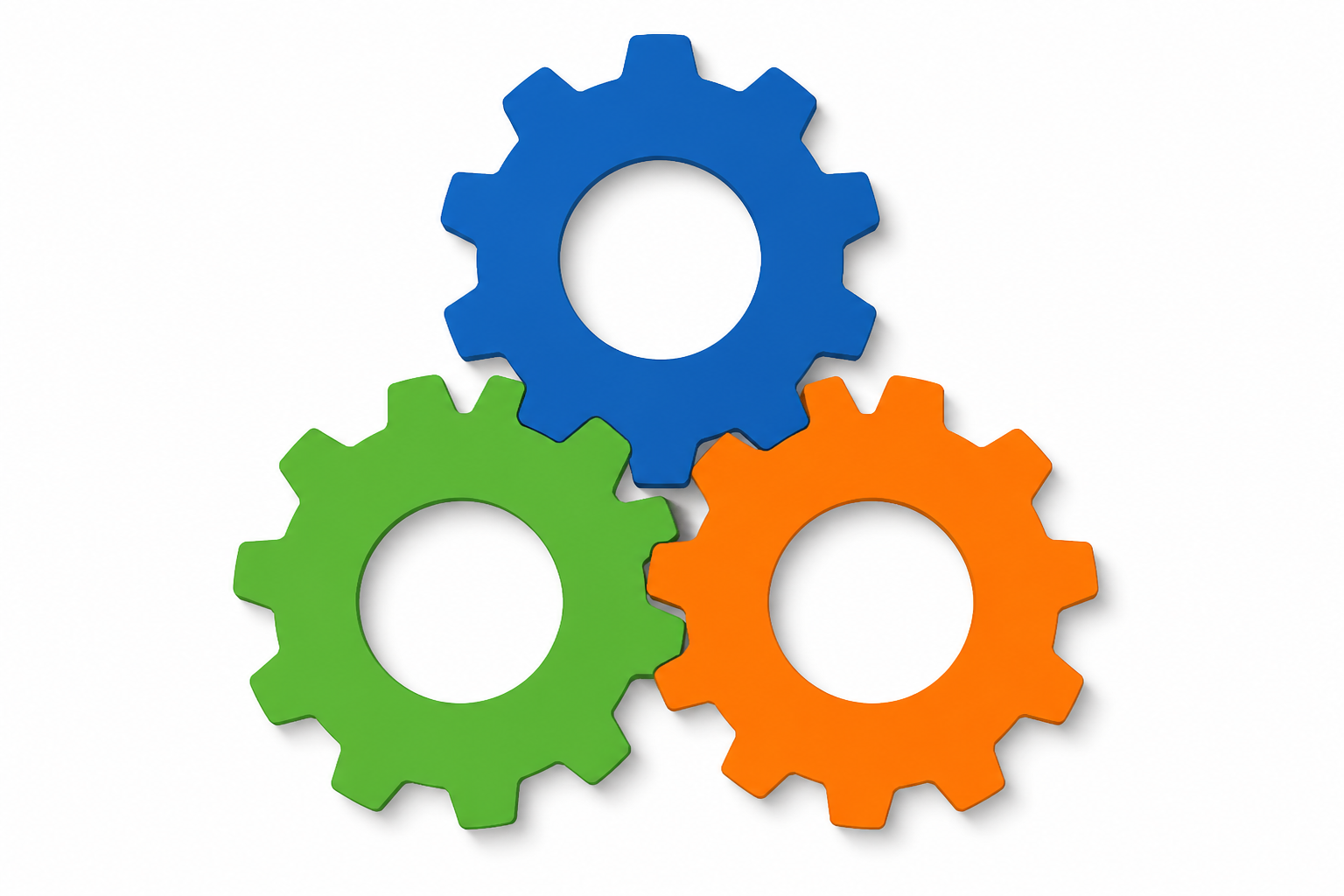 You need a technically sound website (technical SEO) filled with great content (on-page SEO) that other people trust and link to (off-page SEO). Miss any piece, and your SEO strategy has a weak foundation that will eventually crumble.
Ensuring Your Website is Crawlable and Indexable
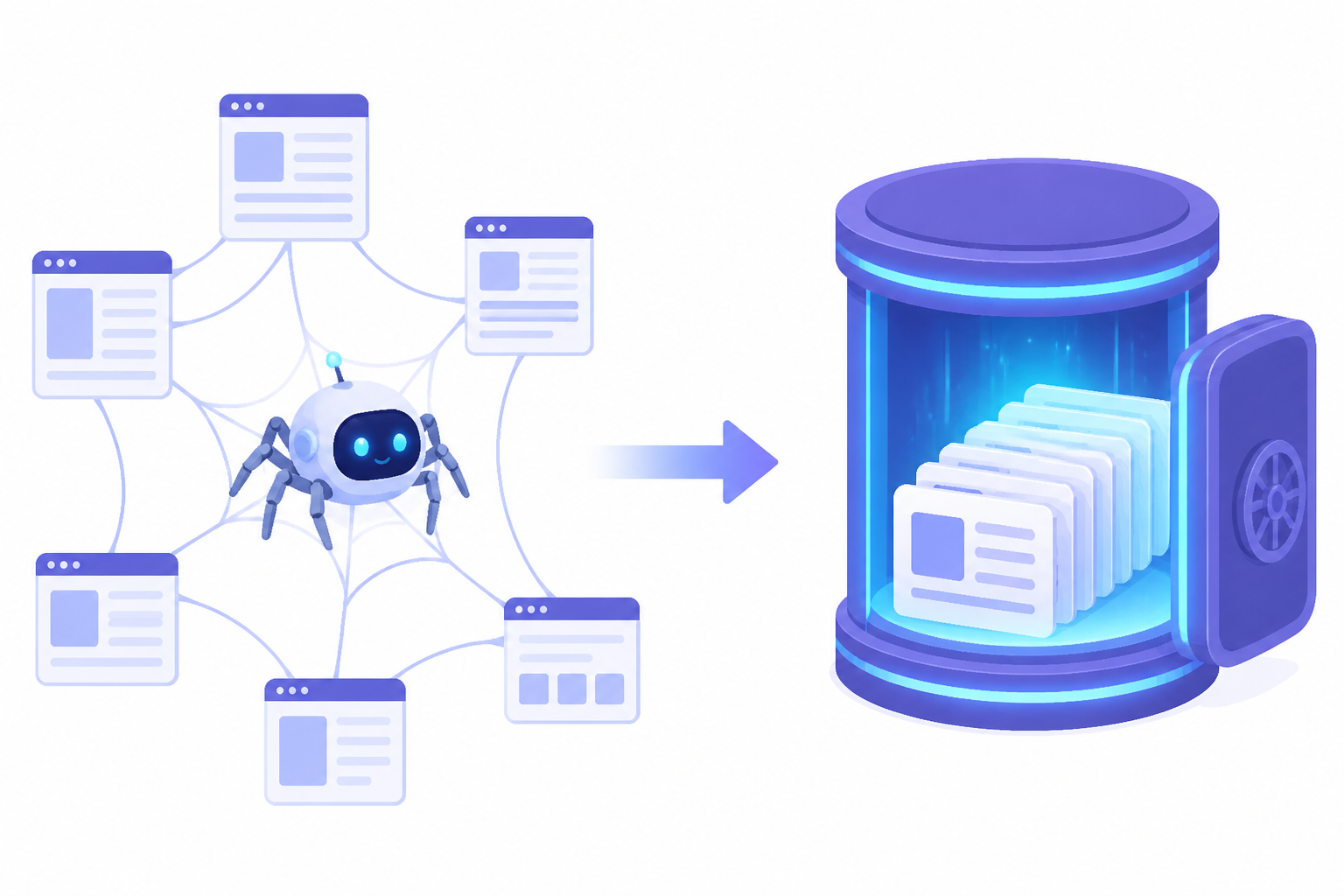
Before your website can appear in search results, search engines need to find it and make sense of it. This is where crawling and indexing come into play. Think of it as a two-step process: first, search engines discover your pages, and then they decide what those pages are about and whether they deserve a spot in their database.
Crawling: How Search Engines Discover Your Content
Search engine bots (often called crawlers or spiders) constantly roam the web, following links from page to page. They start with pages they already know about and click through to discover new or updated content. Every link acts like a pathway that guides these bots to more pages on your site and across the internet.
When a crawler visits your page, it grabs all the content it can find. This includes text, images, videos, and code. The bot then processes this information and moves on to the next page in its queue. It’s a continuous cycle of discovery and data collection that keeps search engines up to date with what’s happening online.
Not all sites get crawled equally, though. Google has something called a crawl budget, which basically determines how often and how many pages Google wants to crawl on your site. Popular sites that update frequently get more attention from crawlers. Smaller sites with less frequent updates might see crawlers visit less often. You can check how Google is crawling your site by looking at the Crawl stats report in Google Search Console. This report shows you patterns and potential problems that might be blocking crawlers from doing their job properly.
Indexing: How Search Engines Store and Understand Your Content
Crawling gets search engines to your door. Indexing is what gets you into their massive database. After a crawler visits your page and grabs the content, the search engine analyzes everything it found. It looks at the words, the structure, the images, and tries to understand what your page is really about.
Only indexed pages can show up in search results. No index, no rankings. Simple as that. This makes checking your indexation status a critical part of Technical SEO.
Want to know if your pages are indexed? Type “site:yourwebsite.com” into Google’s search bar. This shows you a list of pages Google has stored in its index. For a more detailed look at individual pages, use the URL Inspection tool inside Google Search Console. It tells you whether a specific page is indexed and, if not, why it’s being left out.
Optimizing Site Architecture and Sitemaps
How your pages connect to each other matters more than most people realize. Good site architecture creates a logical, shallow hierarchy where your most important pages sit just a few clicks away from your homepage.
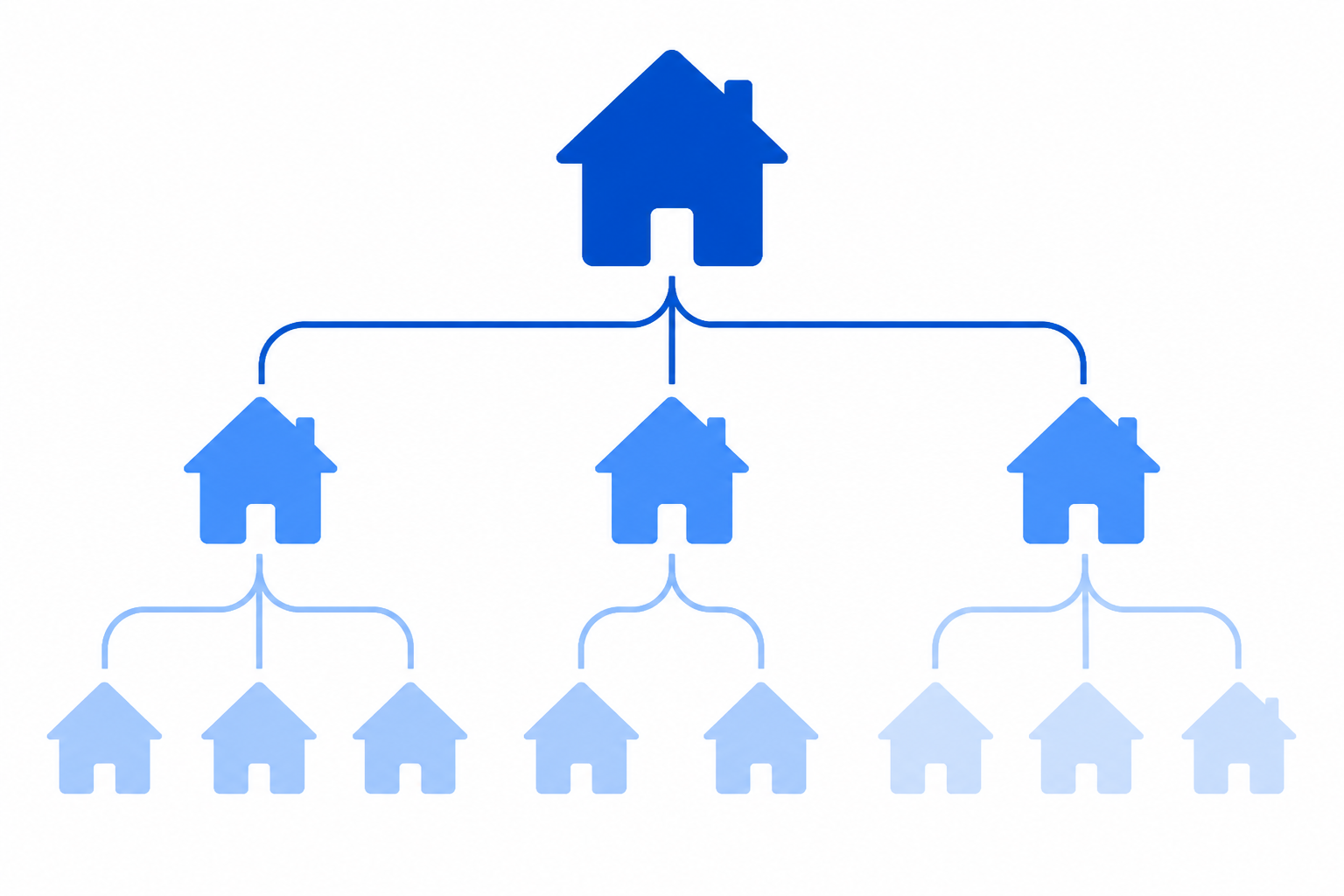 This makes it easier for both users and crawlers to navigate your site without getting lost in endless clicks.
XML sitemaps act like a roadmap for search engines. They’re files that list all the important pages on your site, giving crawlers a clear overview of what needs attention. Sitemaps are especially helpful for large websites or those with complex linking structures where some pages might be buried deep in the architecture. You should submit your sitemap to Google via Google Search Console to speed up the discovery process.
Watch out for orphan pages. These are pages that have no internal links pointing to them. Crawlers struggle to find them, and users have an even harder time. If a page is important enough to exist, it’s important enough to link to from somewhere else on your site.
Managing Crawlability with Robots.txt
The robots.txt file gives you control over which parts of your site crawlers can access. You’ll find it at yoursite.com/robots.txt. This simple text file uses directives like “Disallow” to tell search engines and AI platforms which pages or sections they should stay away from.
Maybe you have admin pages, duplicate content, or resource-heavy files that don’t need to be crawled. Robots.txt helps you manage that. But here’s the catch: blocking a page from being crawled doesn’t stop it from being indexed if other websites link to it. If you truly want a page to stay out of search results, you need to use a noindex meta tag instead.
Always double-check your robots.txt file. Accidentally blocking important pages is easier than you think, and it can tank your visibility overnight.
Handling Duplicate Content and Canonicalization
Duplicate content happens when the same or very similar content shows up on multiple URLs. This confuses search engines and wastes your crawl budget. Even worse, it can split your backlink equity across multiple versions of the same page, weakening your overall ranking potential.
Canonical tags solve this problem. The rel=”canonical” tag is a small piece of HTML code that tells search engines which version of a page is the original, preferred one. When Google sees this tag, it knows which URL to index and pass ranking signals to, even if similar content exists elsewhere.
Use canonical tags on product pages with slight variations, paginated content, or anywhere you have similar pages serving different purposes. Proper canonicalization keeps your Technical SEO clean and prevents self-competition in search results.
Optimizing for User Experience and Performance
Page Speed and Core Web Vitals
Speed matters. Google knows it, users know it, and your website better know it too. Page speed is a ranking factor for both mobile and desktop search results. If your site loads slowly, you’re not just frustrating visitors. You’re actively hurting your chances of ranking well.
Google measures user experience through something called Core Web Vitals. These are three specific metrics that tell you exactly how well your site performs for real users. The first is Largest Contentful Paint (LCP), which measures loading performance. Your goal here is 2.5 seconds or less. That’s how long it should take for the main content on your page to load and become visible.
The second metric is Interaction to Next Paint (INP). This measures how quickly your site responds when users interact with it, like clicking a button or tapping a link. You want this under 200 milliseconds. Anything slower feels sluggish and unresponsive.
The third is Cumulative Layout Shift (CLS), which measures visual stability. You’ve experienced this before, when you go to click a button and the page suddenly shifts, making you click the wrong thing. Annoying, right? Google agrees. Your CLS score should be 0.1 or lower to avoid penalizing users with unexpected layout jumps.
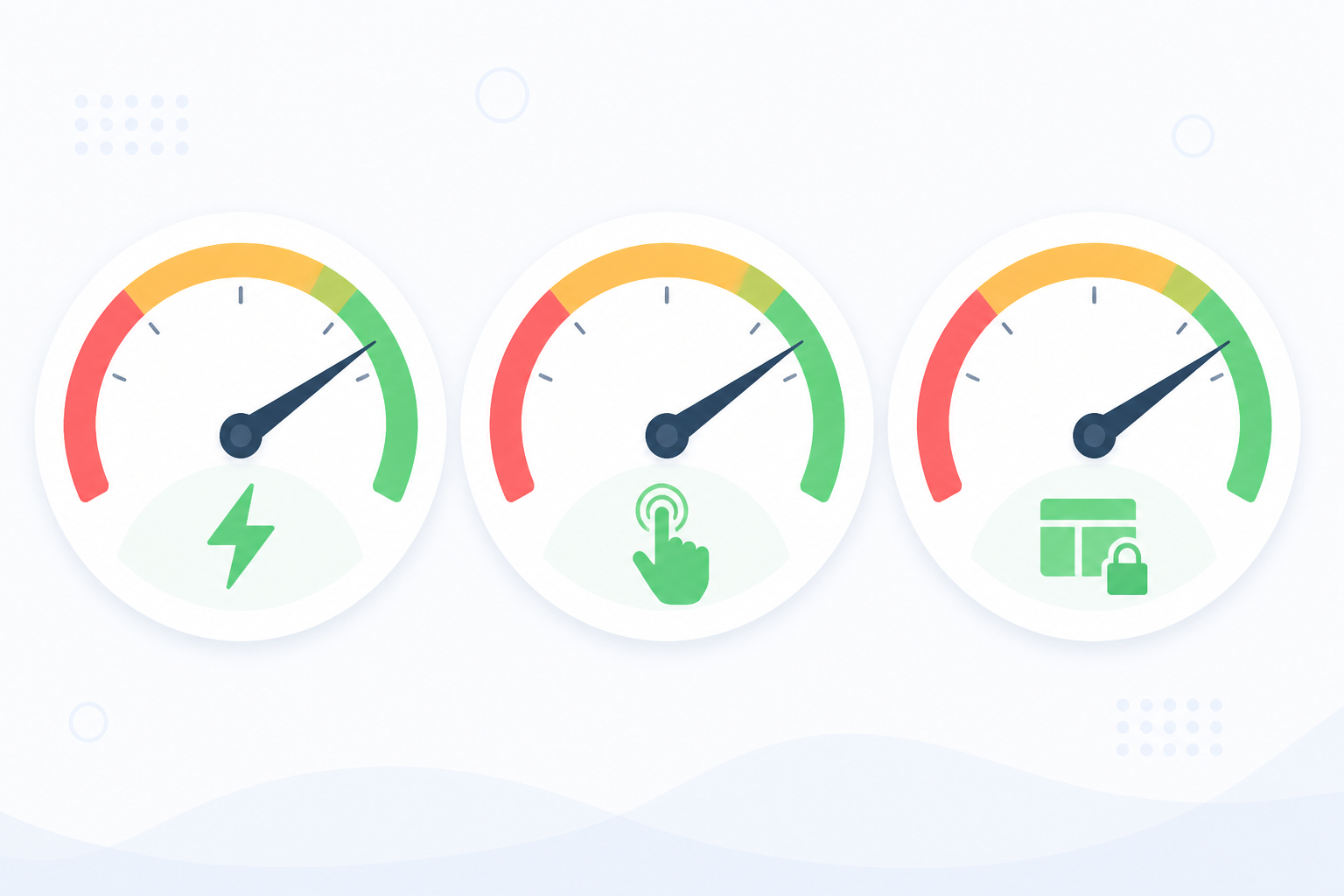
You can check your scores using Google PageSpeed Insights or the Core Web Vitals report in Google Search Console. Both tools give you specific recommendations for improvement. When Kropme’s Web Designing builds websites, fast loading times and excellent Core Web Vitals scores are built in from the start, not patched in later. This directly improves both user experience and search rankings.
Mobile-Friendliness
Here’s something that might surprise you. Google doesn’t primarily look at your desktop site anymore. It uses mobile-first indexing. That means the mobile version of your site is what Google crawls, indexes, and uses to determine rankings. Even for desktop searches.
This makes mobile parity absolutely critical. Your mobile pages need to contain the same core content, links, and structured data as your desktop pages. If something exists only on desktop, Google might never see it. If your mobile experience is broken or incomplete, that’s what Google judges you on.
Test your site using Google’s Mobile-Friendly Test or check the Mobile Usability report in Google Search Console. These tools catch issues like text that’s too small to read, clickable elements that are too close together, or content that’s wider than the screen. Kropme’s Web Designing ensures websites are responsive and mobile-friendly by default, displaying properly across all devices and screen sizes. This alignment with mobile-first indexing isn’t optional anymore. It’s essential.
HTTPS: Securing Your Website
HTTPS encrypts the communication between a user’s browser and your server. The “S” stands for secure, and it’s been a confirmed ranking signal since 2014. More than that, it builds trust. Users see that little padlock icon in their browser, and they know their data is safe.
AI systems also prioritize secure sources when citing web content. HTTPS has become a baseline expectation, not a bonus feature. Implementing it requires an SSL/TLS certificate, which authenticates your website’s identity and establishes that secure connection. Most hosting providers offer free SSL certificates now, so there’s no excuse for running an unsecured site in 2024.
Structured Data (Schema Markup)
Search engines are smart, but they’re not mind readers. Structured data, also called schema markup, is code you add to your pages to help search engines understand exactly what your content is about. Is this a product? A recipe? A local business? An event? Schema markup removes the guesswork.
When implemented correctly, structured data can enable rich snippets in search results. These are the enhanced listings you see with star ratings, pricing, availability, or other eye-catching details. Rich snippets improve click-through rates because they make your listing stand out from the plain blue links around it.
AI systems also use structured data to interpret and reuse your content more accurately. One critical rule though: your structured data must match what’s actually visible on the page. Don’t mark up content that doesn’t exist or try to game the system. Search engines will ignore misleading markup or flag it as spam.
Internal Linking and Breadcrumbs
Internal links connect one page on your site to another page on the same site. Simple concept, big impact. They help users discover more of your content, and they distribute link equity (PageRank) throughout your site. Pages that receive more internal links signal to Google that they’re important.
Breadcrumb navigation shows users where they are on your site. You’ve seen these before: Home > Category > Subcategory > Current Page. Breadcrumbs improve navigation and user experience by giving visitors an easy way to backtrack through your site’s hierarchy.
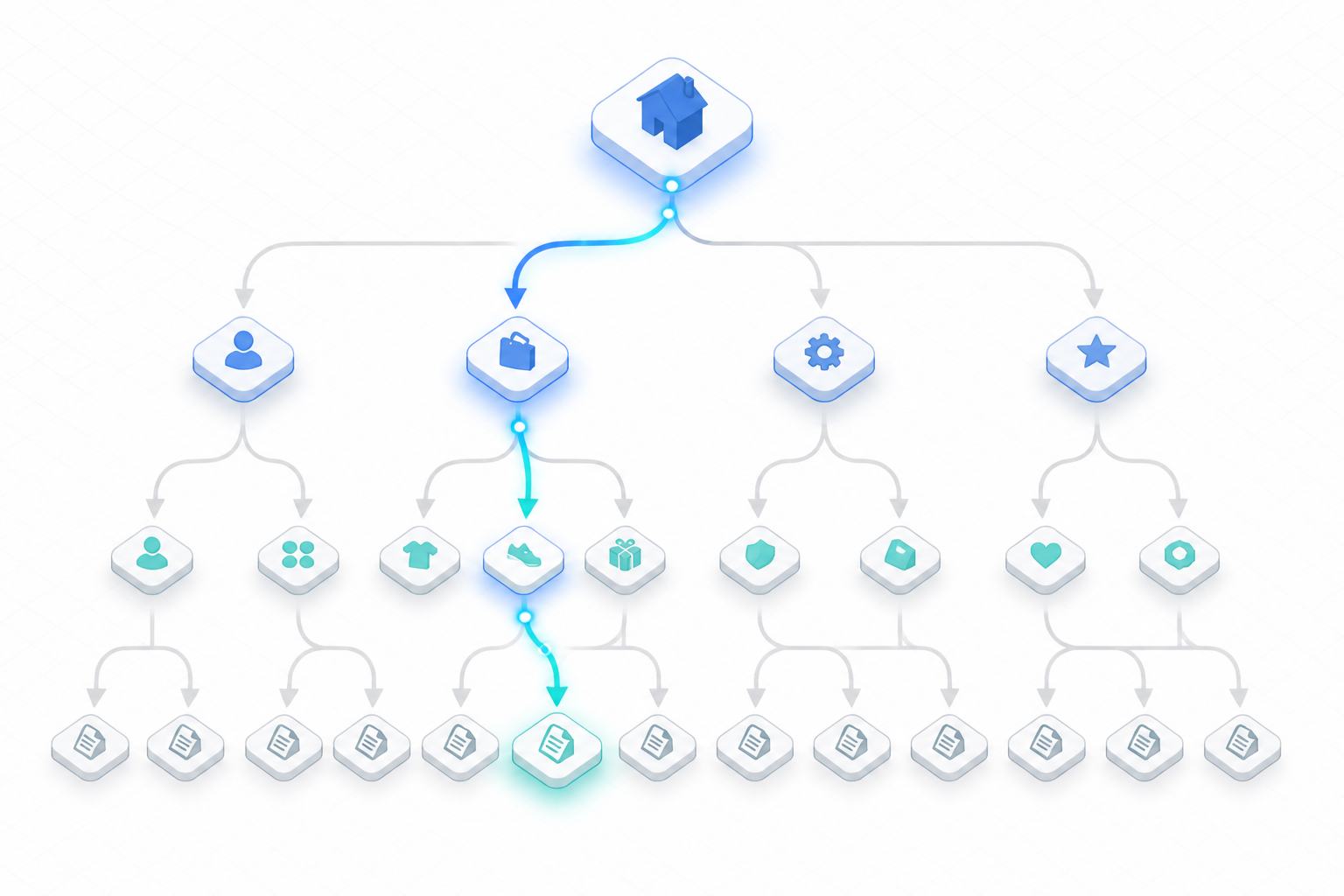
They also create additional internal links and help search engines understand your site structure and hierarchy. Both are simple technical SEO wins that make your site easier to use and easier to crawl.
budget:token_budget
Tokens used: 13800
Model: claude-3-5-sonnet-20240620
Budget remaining: 186200
Maintaining Technical SEO Health and Advanced Considerations
Regular Technical SEO Audits and Monitoring
Technical SEO isn’t something you fix once and forget about. Your website is a living system. As you add new pages, update content, install plugins, or make design changes, new technical issues can pop up without warning. A site that’s perfectly optimized today might develop crawl errors, broken links, or speed issues next month.
Regular audits are your safety net. They help you catch problems before they hurt your rankings or frustrate your visitors. Think of it like taking your car in for routine maintenance. You don’t wait until the engine dies to check the oil.

Tools like Semrush Site Audit and Ahrefs Site Audit can automatically scan your site and flag over 140 different technical SEO issues. These platforms crawl your website just like Google does, checking for broken pages, slow load times, missing meta tags, crawlability issues, and much more. You get detailed reports that show exactly what needs fixing and how urgent each issue is.
Set up a monitoring schedule that makes sense for your site. If you publish content daily or run an ecommerce store with thousands of products, weekly audits make sense. Smaller sites might only need monthly checkups. The key is consistency.
Kropme’s SEO Optimization services include continuous monitoring and optimization, ensuring your website maintains strong technical SEO health and adapts to evolving search algorithms for sustained visibility. This ongoing approach means issues get caught and resolved quickly, keeping your site performing at its best.
Fixing Broken Links and Redirect Chains
Broken links are one of the most common technical SEO problems, and they’re terrible for both users and search engines. When someone clicks a link and lands on a 404 error page, they get frustrated. They might leave your site entirely. Search engines see broken links as a sign of poor site maintenance, and they waste the valuable link equity that could have passed to other pages.
Broken links happen for many reasons. You might delete an old page without redirecting it. A URL might get mistyped when creating an internal link. An external site you linked to might have removed their content.
The fix depends on the situation. If you accidentally deleted an important page, consider bringing it back. If that page is gone for good, implement a 301 redirect to send visitors and search engines to the most relevant alternative page on your site. Update any internal links pointing to broken pages so they link directly to live content instead.
Redirect chains create a different kind of problem. This happens when URL A redirects to URL B, which then redirects to URL C, and maybe even to URL D.
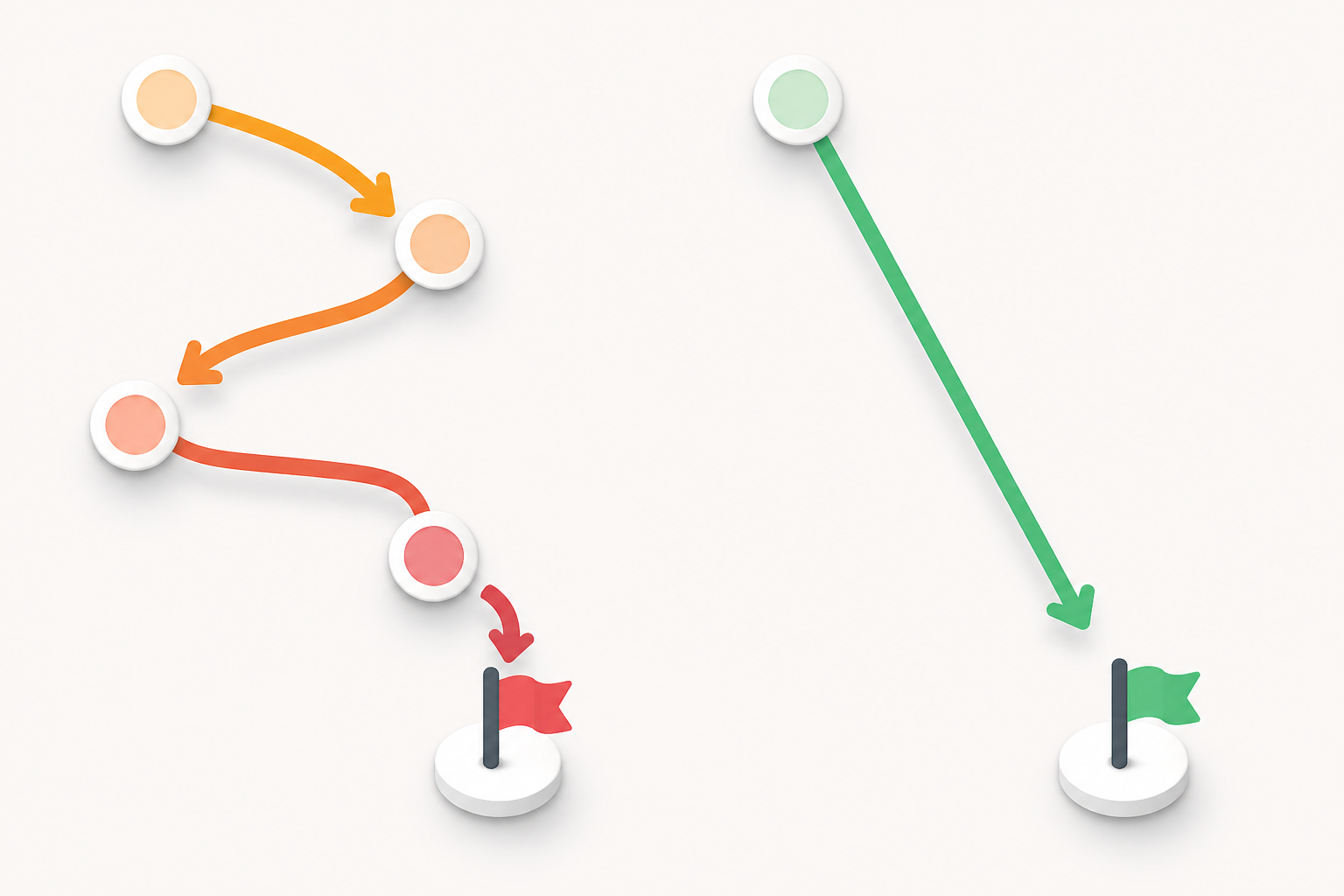 Each redirect in the chain adds loading time and weakens the link equity being passed. Search engines might even give up before reaching the final destination.
Whenever possible, simplify your redirects. Make them point directly from the original URL to the final destination. If page A used to be at “example.com/old-page” and now lives at “example.com/new-page,” redirect straight there. Don’t send traffic through three stops along the way.
Technical SEO for AI Search
The rise of AI search systems like ChatGPT, Google’s AI Overviews, and other large language models has added a new dimension to technical SEO. The good news? These AI systems still depend on the same fundamental principles. They need crawlable, well-structured, and trustworthy web pages just like traditional search engines do.
One important consideration is JavaScript rendering. Many large language models don’t execute JavaScript the way modern browsers do. They read the initial HTML response and move on. If your critical content only appears after JavaScript loads, AI systems might completely miss it. Make sure your most important information is visible in the base HTML.
AI systems sometimes “hallucinate” URLs that don’t actually exist on your domain. They might confidently cite “yoursite.com/ai-generated-page” even though you never created that page. Monitor for these phantom URLs in your analytics and server logs. When you find them, create 301 redirects pointing to the most relevant real page on your site. This way, when people click these AI-generated links, they still land somewhere useful.
Consistency across your content formats helps AI systems understand and accurately cite your information. When your text, images, videos, and structured data all tell the same story without contradictions, AI models can interpret your content with more confidence and less ambiguity.
International SEO with Hreflang
If your website serves different countries or languages, hreflang tags become essential. These HTML attributes tell search engines which version of your content should appear for users based on their location and language preferences.
Without hreflang tags, search engines might show your Spanish content to French users, or your UK-focused pages to visitors in Australia. Even worse, Google might think your different language versions are duplicate content and pick the wrong one to rank.
Hreflang implementation requires precision. Each language or regional variant needs the correct code (like “en-US” for English in the United States or “fr-CA” for French in Canada). The tags must be reciprocal, meaning if your English page points to your French page, the French page needs to point back to the English one.
For businesses expanding globally, getting hreflang right prevents confusion and helps each regional audience find the content created specifically for them. It’s a technical detail that directly impacts international user experience and search visibility.
Conclusion: Technical SEO
Technical SEO is the foundation that helps search engines discover, crawl, understand, and index your website correctly. Even if you publish excellent content and build strong backlinks, technical problems can prevent your pages from performing well in search results.
From XML sitemaps and robots.txt to canonical URLs, mobile optimization, page speed, HTTPS, redirects, structured data, and Core Web Vitals, every technical element contributes to a better website experience and easier search-engine crawling.
The good news is that technical SEO does not have to be complicated. Start with the basics: make sure important pages can be crawled and indexed, fix broken links and unnecessary redirects, improve website speed, use HTTPS, create a proper sitemap, check mobile usability, and monitor your website through tools such as Google Search Console.
Technical SEO is not a one-time task. Websites change constantly as new pages are published, plugins are installed, URLs are modified, and content is updated. Regular technical SEO audits can help you identify problems before they affect your organic search performance.
In simple terms, technical SEO makes your website easier for search engines to understand and easier for visitors to use. Build a technically healthy website first, then combine it with useful content, effective on-page SEO, and quality backlinks to create a stronger long-term SEO strategy.
Frequently Asked Questions About Technical SEO
1.What is Technical SEO?
Also, technical SEO is the process of optimizing the technical aspects of a website so that search engines can crawl, understand, index, and access its pages efficiently. It includes areas such as site speed, mobile optimization, XML sitemaps, robots.txt, canonical URLs, redirects, HTTPS, and structured data.
2.Why is Technical SEO important?
Technical SEO helps search engines access and understand your website. A technically healthy website can also provide a better experience for visitors. Problems such as blocked pages, broken links, incorrect canonical tags, slow loading times, or indexing errors can make it harder for important pages to appear in search results.
3.What are the main elements of Technical SEO?
Important Technical SEO elements include:
- Website crawling and indexing
- XML sitemap
- Further, robots.txt
- Canonical URLs
- HTTPS
- Mobile optimization
- Page speed
- Core Web Vitals
- Structured data
- Redirects
- Broken links
- URL structure
- Internal linking
- Duplicate-content management
4. Is Technical SEO important for small businesses?
Yes. Small business websites can also benefit from having a technically sound website. Proper Technical SEO helps search engines discover important pages and can support visibility for relevant local and organic searches.
5.What is the difference between Technical SEO and On-Page SEO?
Technical SEO focuses mainly on the technical structure and accessibility of a website, while On-Page SEO focuses on elements such as page content, headings, keywords, title tags, meta descriptions, images, and internal links.
For example, improving an XML sitemap is Technical SEO, while optimizing an article’s title and headings is On-Page SEO.
6.Does Technical SEO improve Google rankings?
Technical SEO helps create the conditions for search engines to crawl and index your website effectively, but there is no guarantee that fixing a technical issue will produce a specific ranking improvement. Search visibility depends on many factors, including content quality, relevance, competition, links, and overall website quality.
7.How can I check Technical SEO problems?
You can use tools such as Google Search Console, Lighthouse, PageSpeed Insights, and other SEO auditing tools. Google Search Console can help identify issues related to indexing, crawling, sitemaps, and search performance.
8.How often should I perform a Technical SEO audit?
Moreover, there is no single schedule that works for every website. A basic technical check every few weeks or months can be useful, while larger websites may need more frequent monitoring. Moreover, you should also check your website after major redesigns, migrations, URL changes, or significant plugin and theme changes.
9.Does website speed affect Technical SEO?
Website performance is an important part of technical website optimization. Google also uses Core Web Vitals as part of its page experience considerations. Further, improving loading performance can make a website more usable, particularly on mobile devices.
10.Can I do Technical SEO myself?
Yes. Beginners can handle many basic Technical SEO tasks, such as submitting an XML sitemap, checking indexing issues, fixing broken links, ensuring HTTPS is enabled, and improving page performance. More complex problems involving JavaScript rendering, large-scale migrations, server configuration, or advanced structured data may require technical expertise.