LinkedIn Marketing Guide: Strategies to Grow Your Business and Build Your Brand
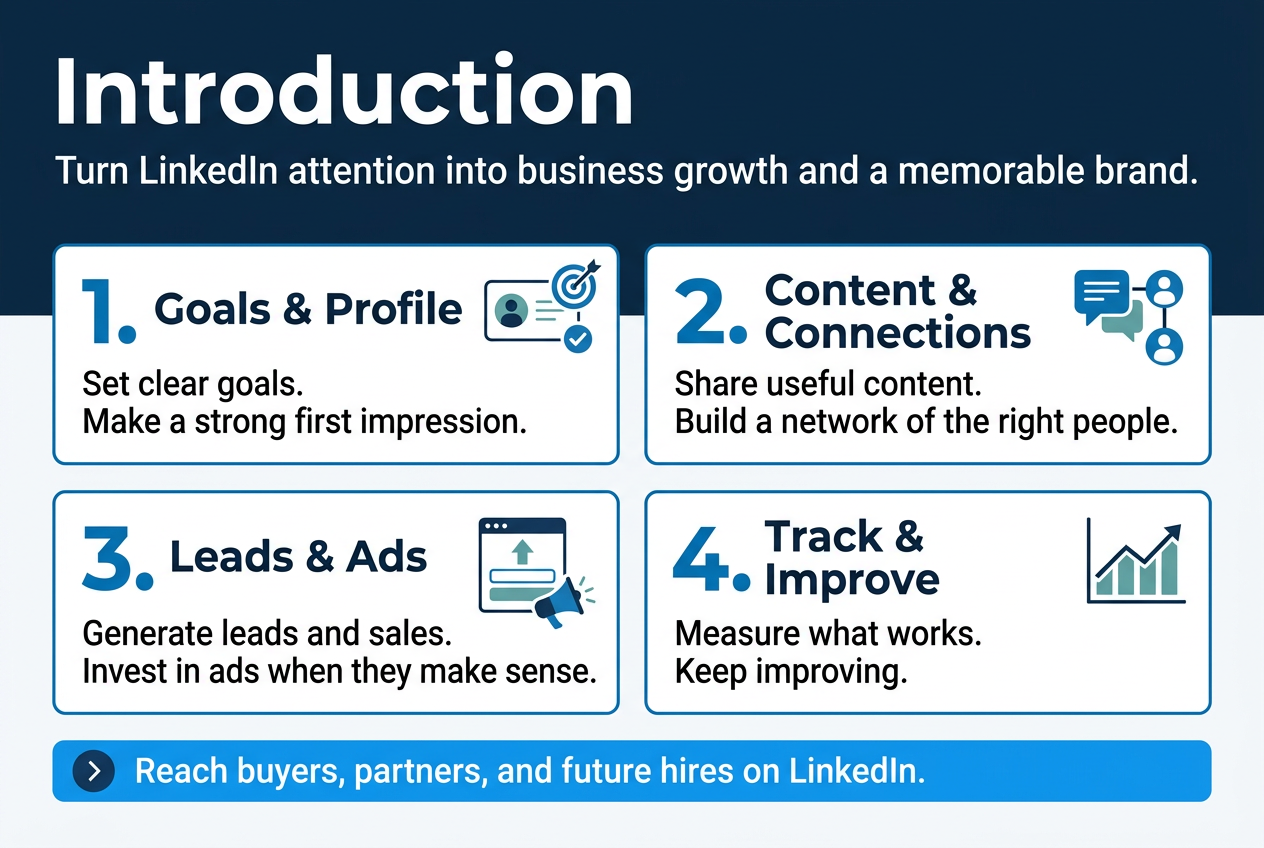
LinkedIn is where buyers, partners, and future hires already hang out. If you run a business, work in marketing, or sell for a living, this LinkedIn marketing guide shows you how to turn that attention into growth and a brand people remember.
Here’s what we’ll cover:
- Goals and profile: Pick clear goals first, then fix your profile so it makes a strong first impression.
- Content and connections: Post things people actually want to read, and grow a network of the right people, not just more people.
- Leads and ads: Use simple tactics to land leads and sales, then see when LinkedIn advertising is worth the money.
We’ll also show you how to track what’s working so you can keep improving. Let’s get into it.
Set a Strong Foundation with Clear LinkedIn Goals
Define Business Objectives That Drive Measurable Growth
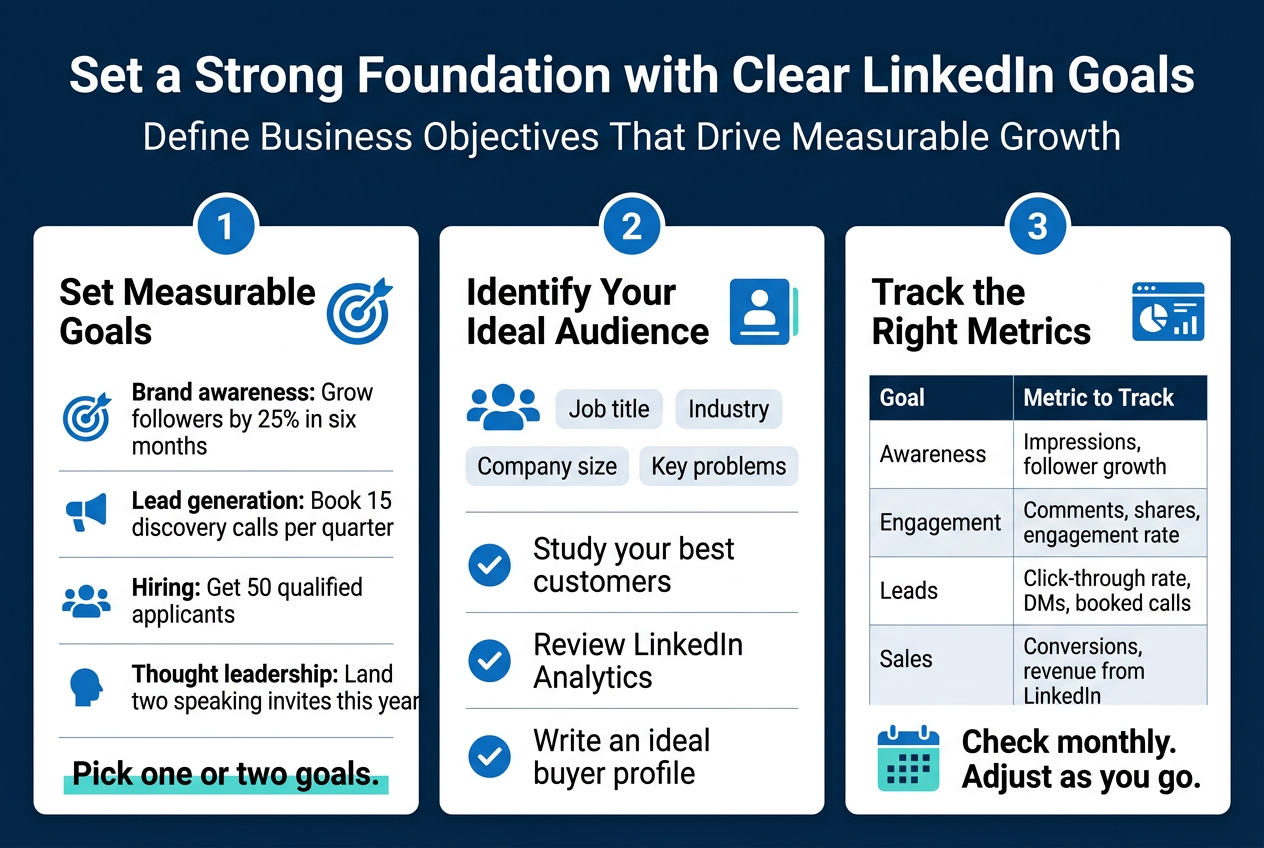
Start with what you actually want LinkedIn to do for your business. “Be more visible” is too fuzzy. Tie each goal to a number and a deadline.
- Brand awareness: Grow followers by 25% in six months.
- Lead generation: Book 15 discovery calls per quarter from LinkedIn.
- Hiring: Get 50 qualified applicants for open roles.
- Thought leadership: Land two speaking invites this year.
Pick one or two goals. Chasing everything spreads you thin.
Identify Your Ideal Audience for Targeted Reach
Get specific about who you’re talking to. Think job title, industry, company size, and the problems keeping them up at night.
- Look at your best customers and spot what they share.
- Check LinkedIn Analytics to see who already engages with you.
- Write a quick profile of your ideal buyer and keep it handy.
The clearer your picture, the easier it is to write posts and send connection requests that land.
Choose Key Metrics to Track Success
Match your metrics to your goals so you’re not drowning in vanity numbers.
| Goal | Metric to Track |
|---|---|
| Awareness | Impressions, follower growth |
| Engagement | Comments, shares, engagement rate |
| Leads | Click-through rate, DMs, booked calls |
| Sales | Conversions, revenue from LinkedIn |
Check these monthly and adjust as you go.
Optimize Your Profile to Make a Powerful First Impression
Craft a Headline That Attracts Your Ideal Clients
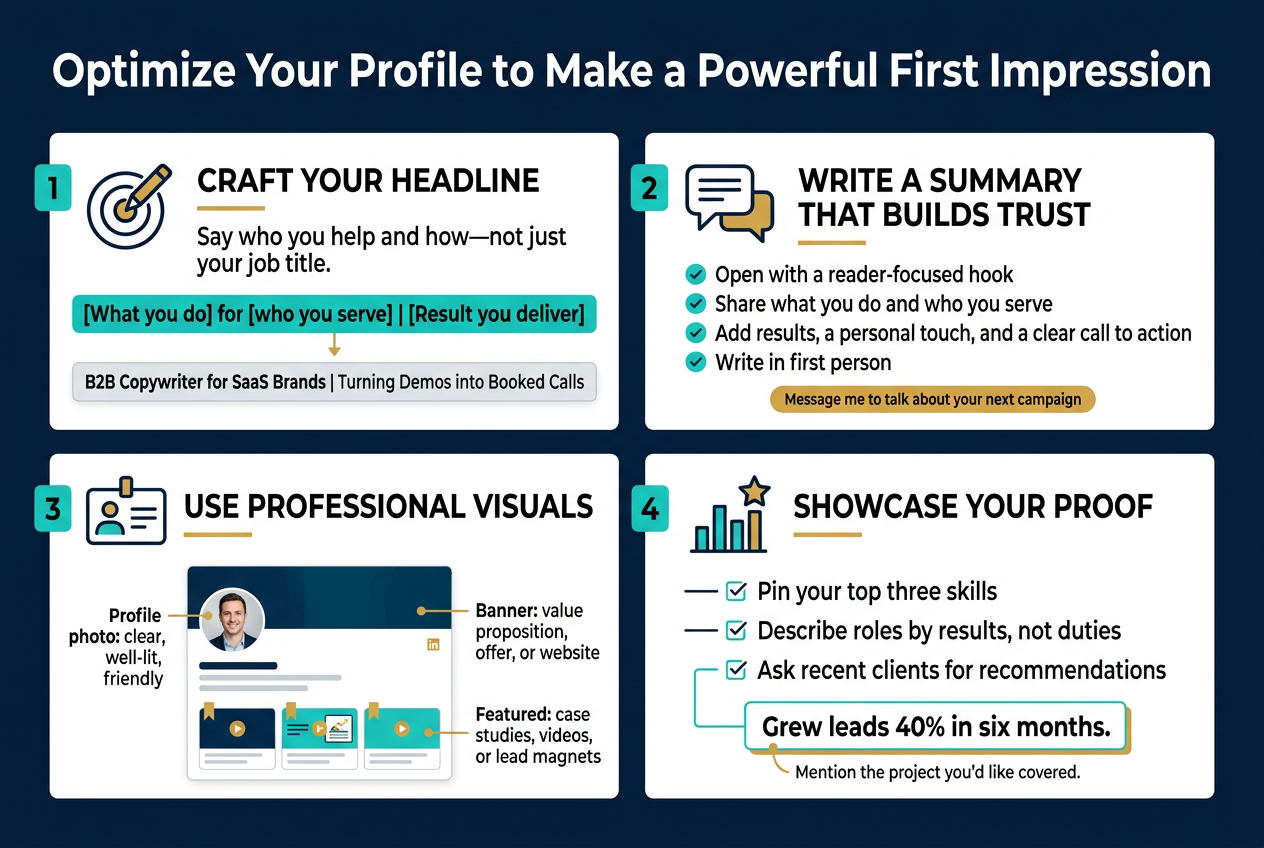
Your headline shows up everywhere: search results, comments, connection requests. Skip the generic job title and say who you help and how.
- Formula: [What you do] for [who you serve] | [Result you deliver]
- Example: “B2B Copywriter for SaaS Brands | Turning Demos into Booked Calls”
Write a Compelling Summary That Builds Trust
Only the first two or three lines show before “see more,” so open with a hook that speaks to your reader’s problem. Then keep it simple:
- Share what you do and who you do it for
- Back it up with a result or two (numbers help)
- Add a short personal touch
- End with a clear call to action, like “Message me to talk about your next campaign”
Write in first person. It sounds like you, not a brochure.
Use Professional Visuals to Boost Credibility
- Profile photo: Clear, well-lit, and friendly, with your face filling most of the frame.
- Banner: Use it to share your value proposition, a offer, or a website link.
- Featured section: Pin case studies, videos, or lead magnets.
Showcase Skills, Experience, and Recommendations
- Pin your top three skills so they’re the first thing people see.
- Describe roles by results, not duties: “Grew leads 40% in six months.”
- Ask recent clients for recommendations, and mention the project you’d like them to cover.
Build a Company Page That Strengthens Your Brand
Create a Complete Page That Communicates Your Value
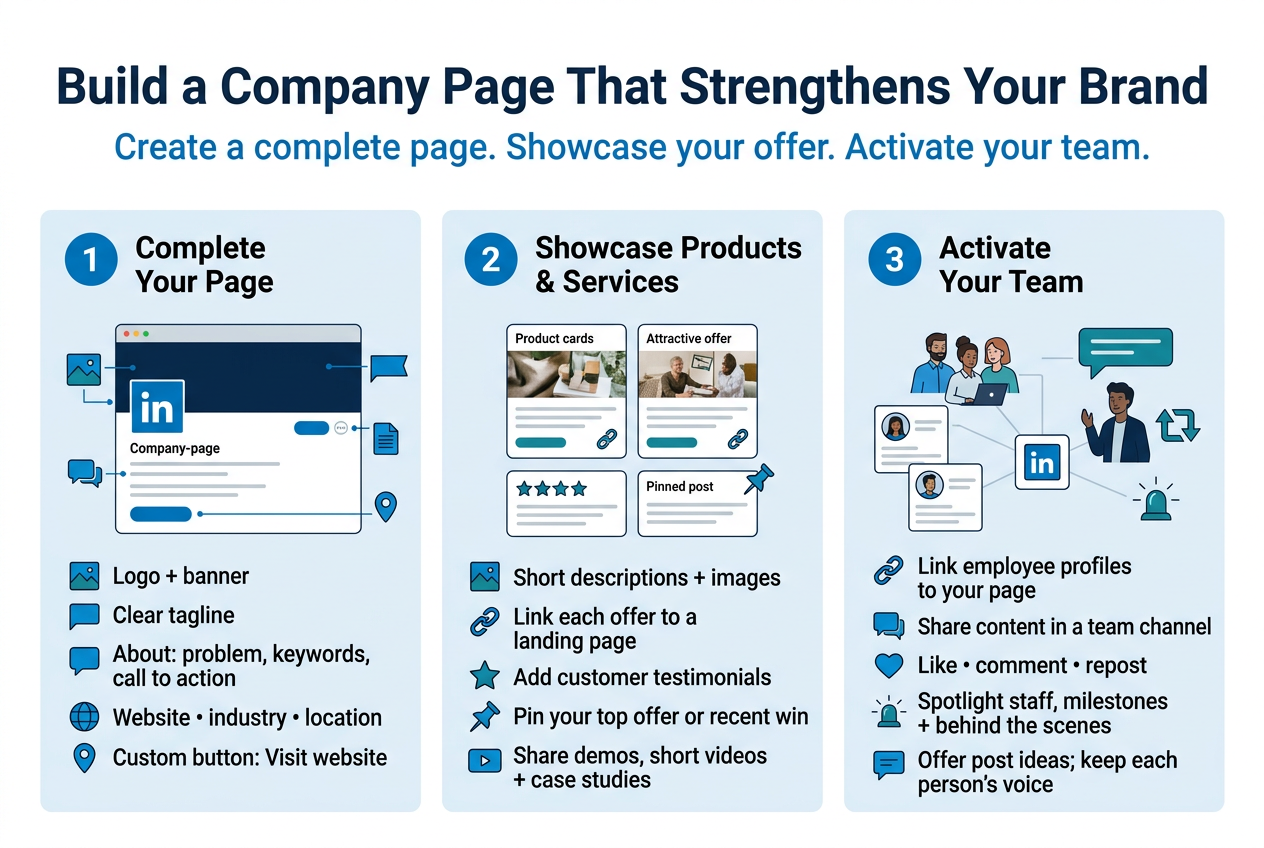
Your Company Page is often the first stop for people checking you out, so fill in every section.
- Logo and banner: Use a crisp logo and a cover image that shows what you do or a current campaign.
- Tagline: Write one clear line about who you help and how.
- About section: Lead with the problem you solve, add keywords people search for, and end with a call to action.
- Details: Add your website, industry, location, and a custom button like “Visit website” or “Contact us.”
Highlight Products and Services to Generate Interest
Use the Products and Services tabs to show what you offer without making visitors dig.
- Add short descriptions, images, and a link to a landing page for each item.
- Include customer testimonials, since social proof builds trust fast.
- Pin a post about your top offer or a recent win to the top of your page.
- Share demos, short videos, and case studies to bring your offerings to life.
Encourage Employee Engagement to Expand Your Reach
Your team’s networks are much bigger than your page’s following, and people trust people more than logos.
- Ask employees to update their profiles and link to your Company Page.
- Share content in a team channel so it’s easy to like, comment, and repost.
- Spotlight staff stories, milestones, and behind-the-scenes moments.
- Offer simple post ideas or templates, but let people use their own voice.
Create Content That Engages and Inspires Your Audience
Develop a Content Strategy Aligned with Your Brand Voice
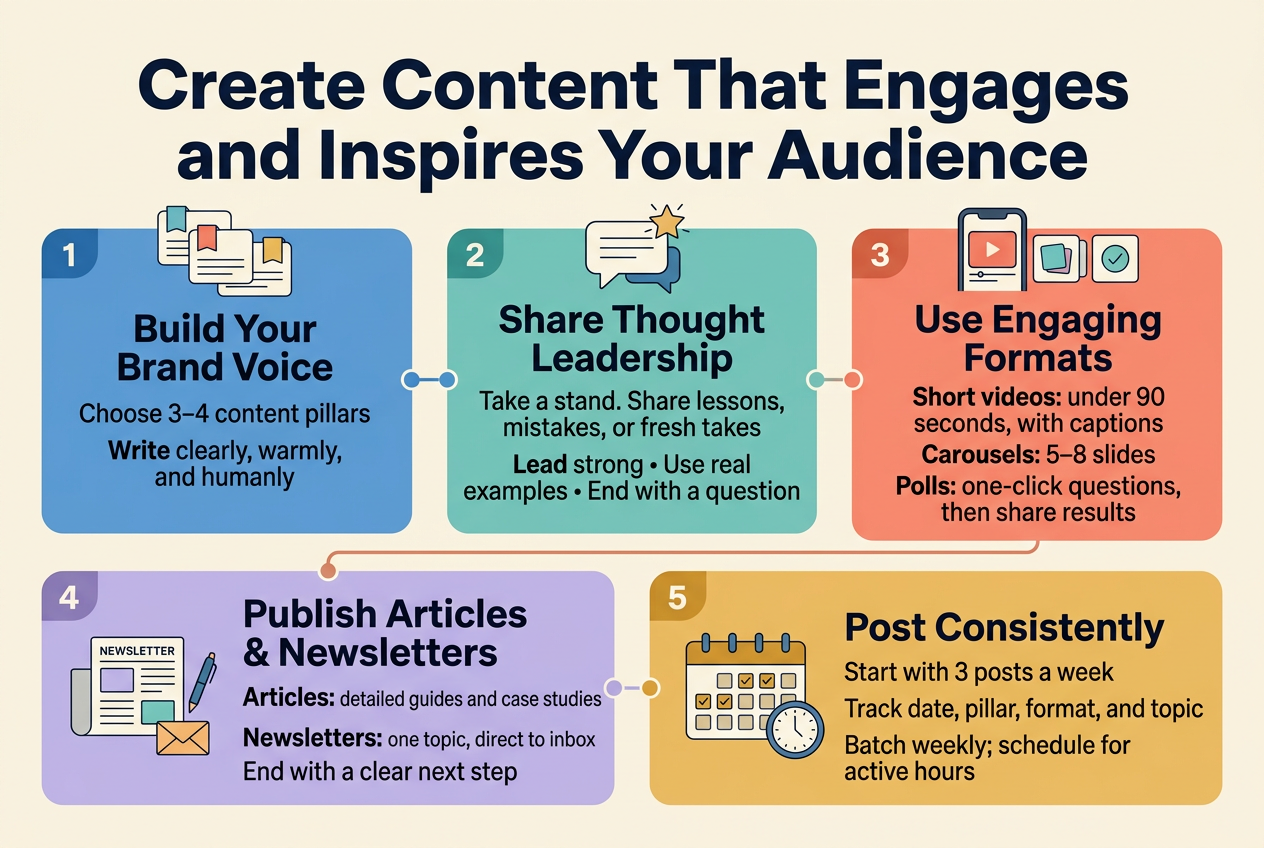
Pick 3-4 content pillars, like industry tips, customer wins, and behind-the-scenes stories. Write the way you’d talk to a client over coffee: clear, warm, and human.
Share Thought Leadership Posts to Establish Authority
Take a stand. Share what you’ve learned, a lesson from a mistake, or a fresh take on an industry trend.
- Open with a strong first line, since only about two lines show before “see more.”
- Back opinions with real numbers or examples.
- Ask a question at the end to spark comments.
Use Videos, Carousels, and Polls to Increase Engagement
- Short videos: Keep them under 90 seconds, with captions for silent viewers.
- Carousels: Break down how-tos into 5-8 swipeable slides.
- Polls: Ask quick questions your audience can answer in one click, then share the results in a follow-up post.
Publish Articles and Newsletters to Deepen Relationships
Articles work well for detailed guides and case studies. Newsletters notify subscribers directly, so you show up in their inbox without relying on the feed. Stick to one topic per edition and end with a clear next step.
Post Consistently with a Simple Content Calendar
Start with 3 posts a week. Use a basic spreadsheet with columns for date, pillar, format, and topic. Batch-create content once a week, and schedule it for when your audience is most active.
Grow Your Network with Purposeful Connections
Connect with Prospects, Partners, and Industry Leaders
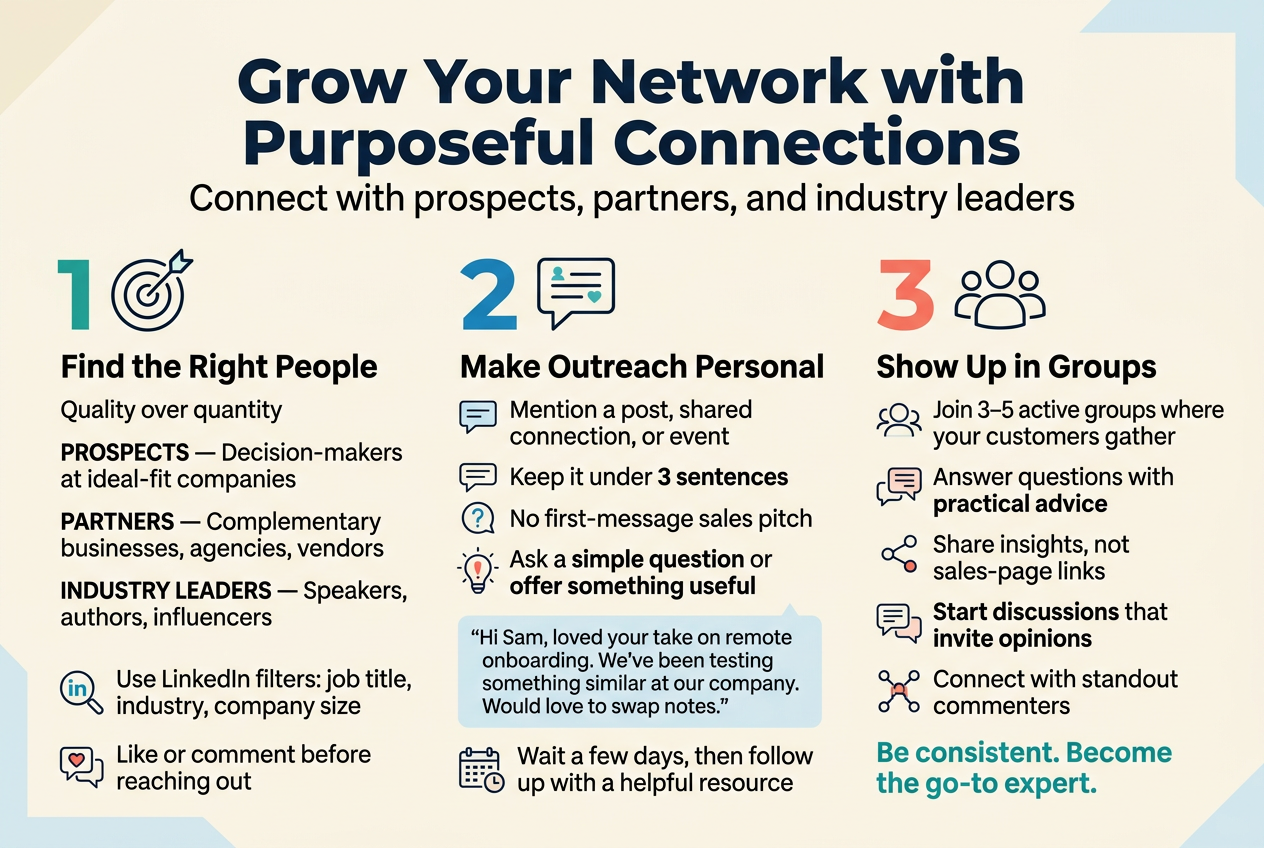
Aim for quality over quantity. Build a list of people who can actually move your business forward:
- Prospects: Decision-makers at companies that fit your ideal customer profile
- Partners: Complementary businesses, agencies, and vendors
- Industry leaders: Speakers, authors, and influencers in your space
Use LinkedIn’s search filters (job title, industry, company size) to find them fast. Before you reach out, like or comment on a few of their posts so your name isn’t a total stranger.
Personalize Outreach to Start Meaningful Conversations
Generic “I’d like to add you to my network” requests get ignored. Try this instead:
- Mention something specific, like a recent post, a shared connection, or a mutual event
- Keep it under three sentences
- Skip the sales pitch in your first message
- Ask a simple question or offer something useful
Example: “Hi Sam, loved your take on remote onboarding. We’ve been testing something similar at our company. Would love to swap notes.”
If they accept, wait a few days, then follow up with a helpful resource instead of a pitch.
Join and Participate in Groups to Expand Visibility
Groups put you in front of focused audiences. Pick 3–5 active ones where your customers hang out.
- Answer questions with real, practical advice
- Share useful insights, not links to your sales page
- Start discussions that invite opinions
- Connect with members whose comments stand out
Show up consistently, and people will start recognizing you as the go-to expert.
Generate Leads and Sales with Proven LinkedIn Tactics
Use Social Selling to Nurture Prospects into Customers
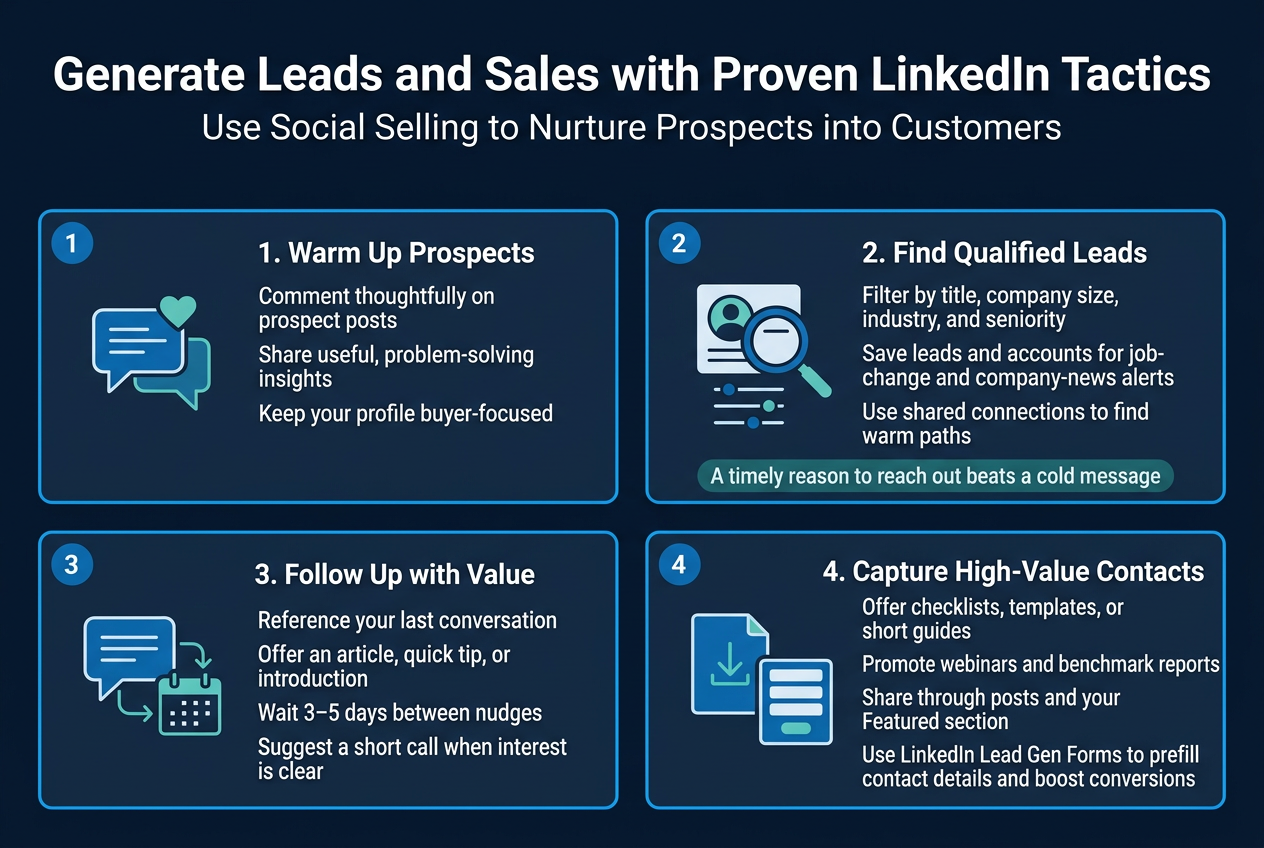
Skip the hard pitch. Instead, warm people up first:
- Engage with prospects’ posts through thoughtful comments.
- Share useful insights that solve problems they actually have.
- Keep your profile buyer-focused so it backs up your outreach.
Leverage Sales Navigator to Find Qualified Leads
Sales Navigator takes the guesswork out of prospecting. Use it to:
- Filter by job title, company size, industry, and seniority.
- Save leads and accounts to get alerts on job changes or company news.
- Spot warm paths through shared connections.
Those alerts give you a natural reason to reach out, which beats a cold message every time.
Turn Conversations into Opportunities with Smart Follow-Ups
Most deals happen after the first reply, so don’t drop the ball.
- Reference something specific from your last chat.
- Offer value, like an article, a quick tip, or an intro.
- Wait 3–5 days between nudges.
- Suggest a short call only when interest is clear.
Promote Lead Magnets to Capture High-Value Contacts
A strong freebie gives people a reason to hand over their email. Try:
- Checklists, templates, or short guides
- Webinar invites
- Industry benchmark reports
Share them through posts, your Featured section, and LinkedIn Lead Gen Forms, which prefill contact details and boost conversions.
Amplify Results with LinkedIn Advertising
Select the Right Ad Formats for Your Goals
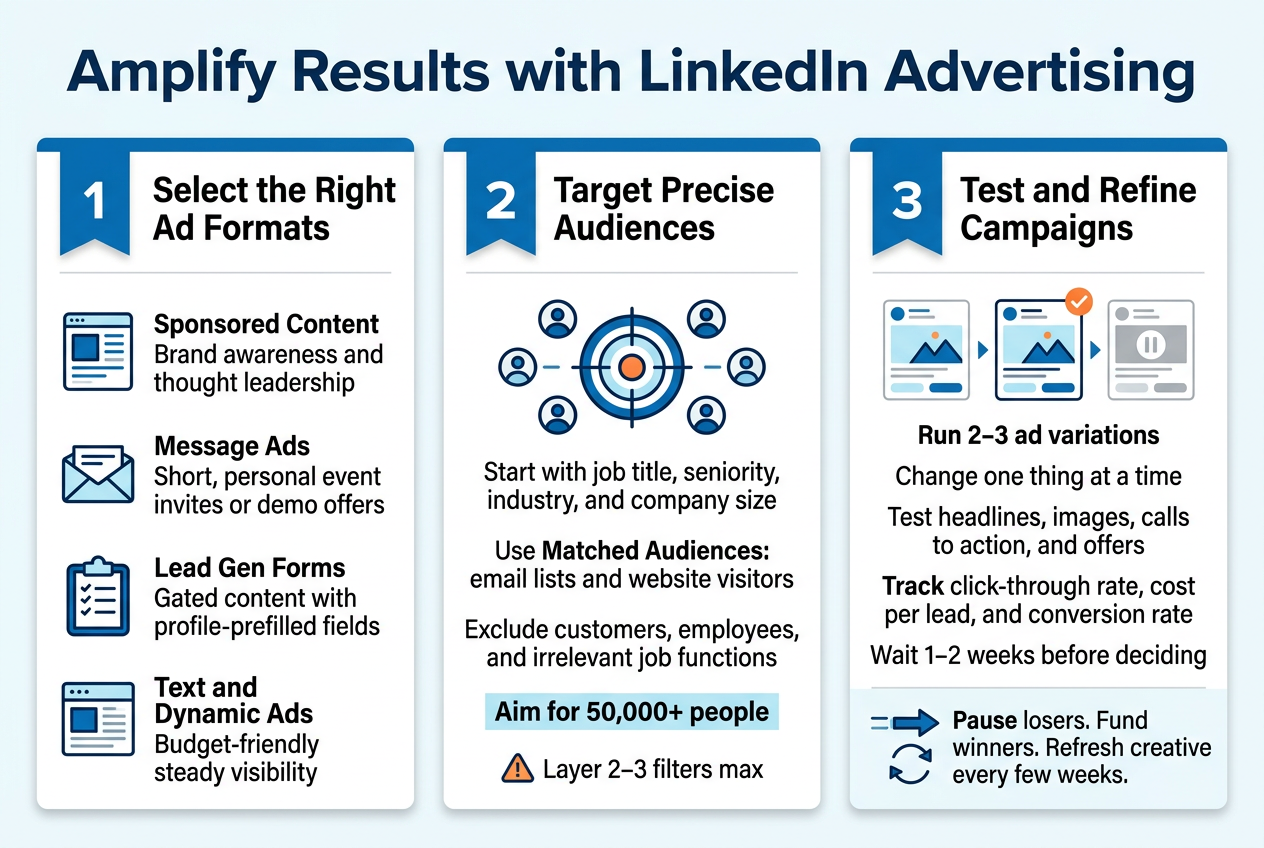
Match the format to what you want people to do:
- Sponsored Content: Best for brand awareness and thought leadership. It shows up right in the feed.
- Message Ads: Great for event invites or demo offers. Keep them short and personal.
- Lead Gen Forms: Ideal for gated content. Fields prefill from profiles, so more people finish them.
- Text and Dynamic Ads: Budget-friendly options for steady visibility.
Target Precise Audiences to Maximize Ad Spend
LinkedIn’s targeting is its superpower, so use it wisely.
- Start with job title, seniority, industry, and company size.
- Upload your email list or website visitors for Matched Audiences.
- Exclude current customers, employees, and irrelevant job functions.
- Aim for an audience size of roughly 50,000 or more, so the algorithm has room to work.
Layer two or three filters at most. Too many, and your reach shrinks while your costs climb.
Test and Refine Campaigns for Better Performance
Never launch just one ad. Run two or three variations and change one thing at a time.
- Test: Headlines, images, calls to action, and offers.
- Watch: Click-through rate, cost per lead, and conversion rate.
- Give it time: Wait at least one to two weeks before you decide.
Pause the losers, put that budget behind the winners, and refresh creative every few weeks to avoid ad fatigue.
Measure, Analyze, and Refine Your Strategy
Review Analytics to Understand What Works
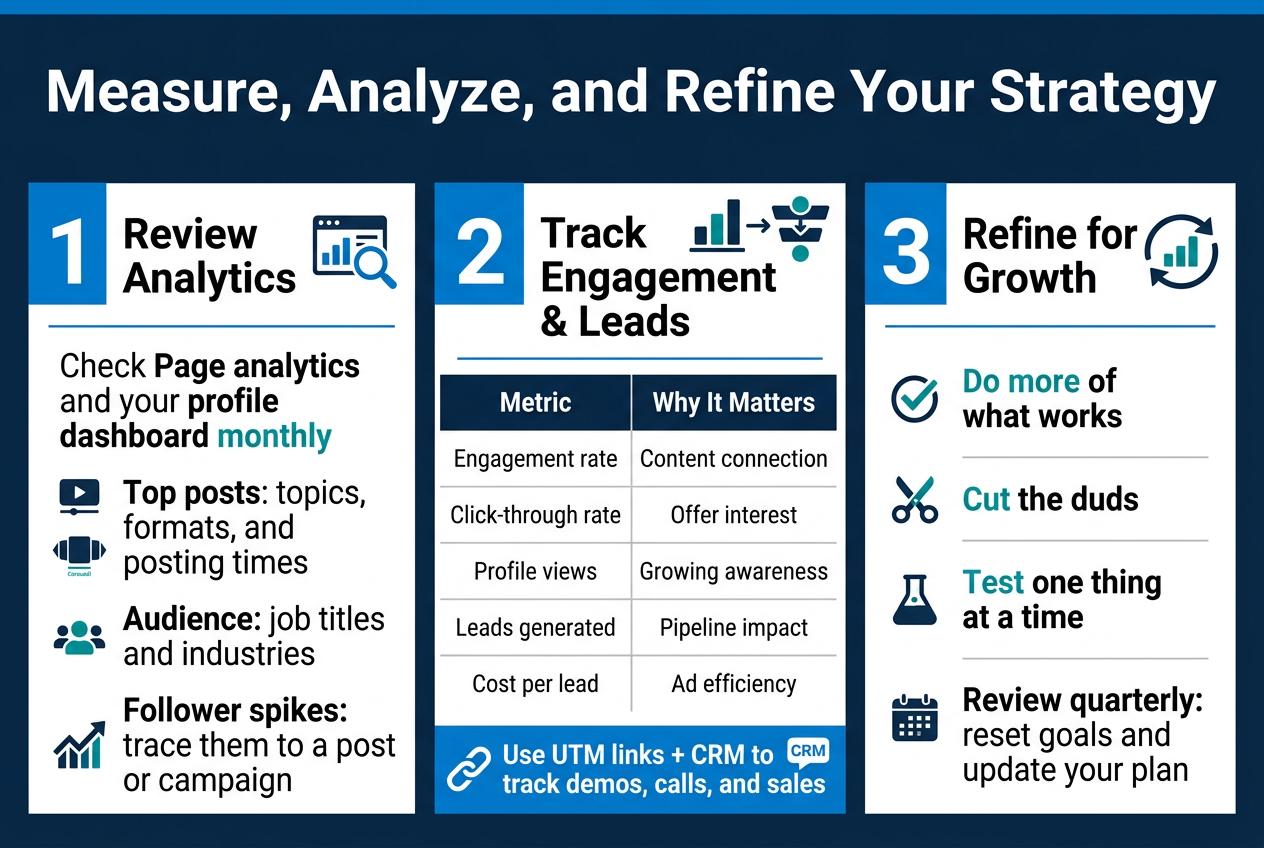
LinkedIn gives you solid data for free. Check your Page analytics and personal profile dashboard at least once a month, and look for patterns:
- Top posts: Which topics, formats (video, carousel, text) and posting times get the most reach?
- Audience makeup: Are you attracting the job titles and industries you actually want?
- Follower growth: Spikes usually trace back to a specific post or campaign.
Track Engagement and Lead Metrics to Prove ROI
Likes feel good, but they don’t pay the bills. Pair engagement numbers with business results.
| Metric | Why It Matters |
|---|---|
| Engagement rate | Shows how well content connects |
| Click-through rate | Measures interest in your offer |
| Profile views | Signals growing awareness |
| Leads generated | Ties LinkedIn to pipeline |
| Cost per lead | Proves ad efficiency |
Use UTM links and your CRM to see which posts and messages lead to demos, calls, or sales. That’s the data your boss or client wants to see.
Adjust Your Approach to Sustain Long-Term Growth
Treat your strategy like a work in progress.
- Do more of what works: Double down on your top-performing formats and topics.
- Cut the duds: Drop content that keeps flopping.
- Test one thing at a time: Try new headlines, post times, or CTAs.
- Review quarterly: Reset goals and update your plan.
FAQ
How often should I post on LinkedIn?
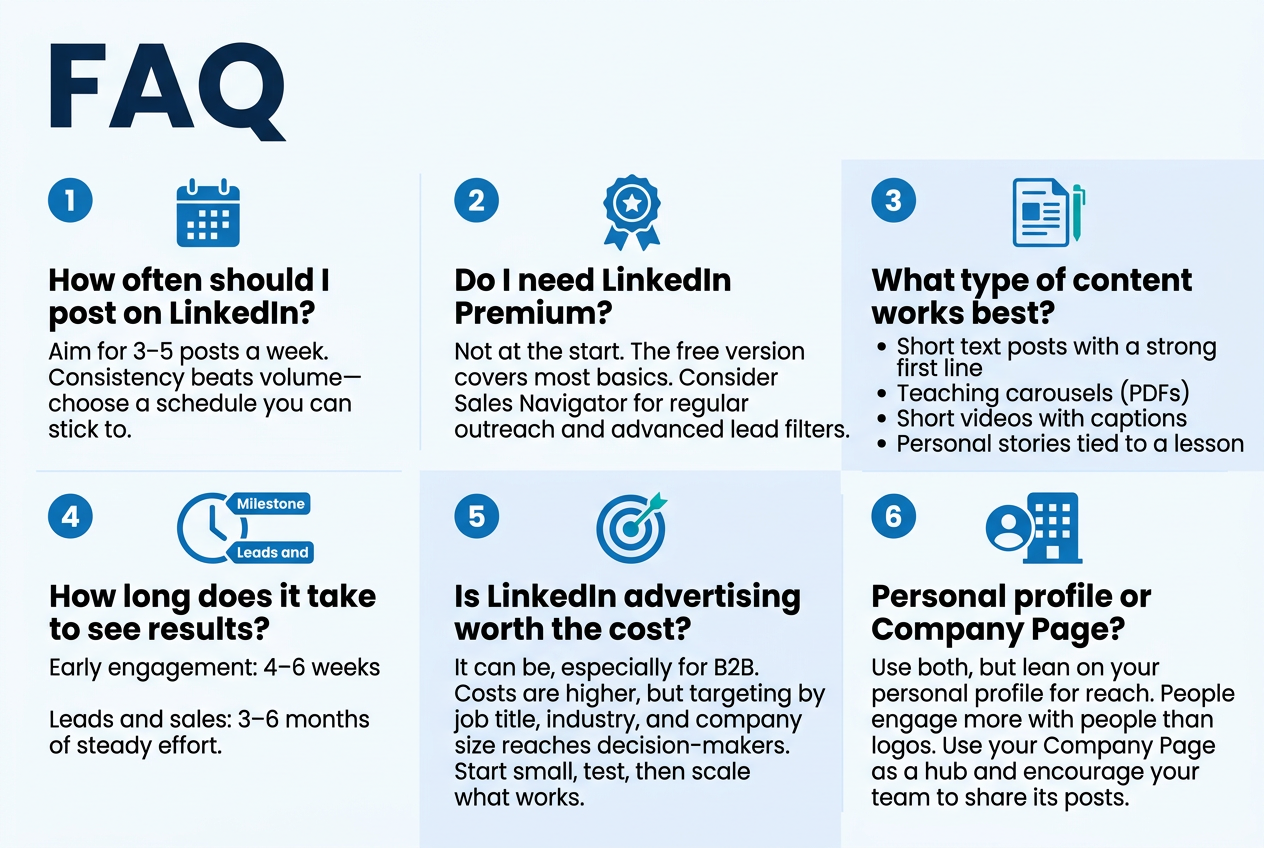
Aim for 3–5 posts a week. Consistency beats volume, so pick a schedule you can actually stick to.
Do I need LinkedIn Premium?
Not at the start. The free version covers most basics. Consider Sales Navigator once you’re doing regular outreach and want advanced lead filters.
What type of content works best?
- Short text posts with a strong first line
- Carousels (PDF documents) that teach something
- Short videos with captions
- Personal stories tied to a lesson
How long does it take to see results?
Expect early engagement within 4–6 weeks. Leads and sales usually take 3–6 months of steady effort.
Is LinkedIn advertising worth the cost?
It can be, especially for B2B. Costs run higher than other platforms, but targeting by job title, industry, and company size gets you in front of real decision-makers. Start small, test, then scale what works.
Should I focus on my personal profile or my Company Page?
Both, but lean on your personal profile for reach. People engage more with people than logos. Use your Company Page as a hub and encourage your team to share its posts.
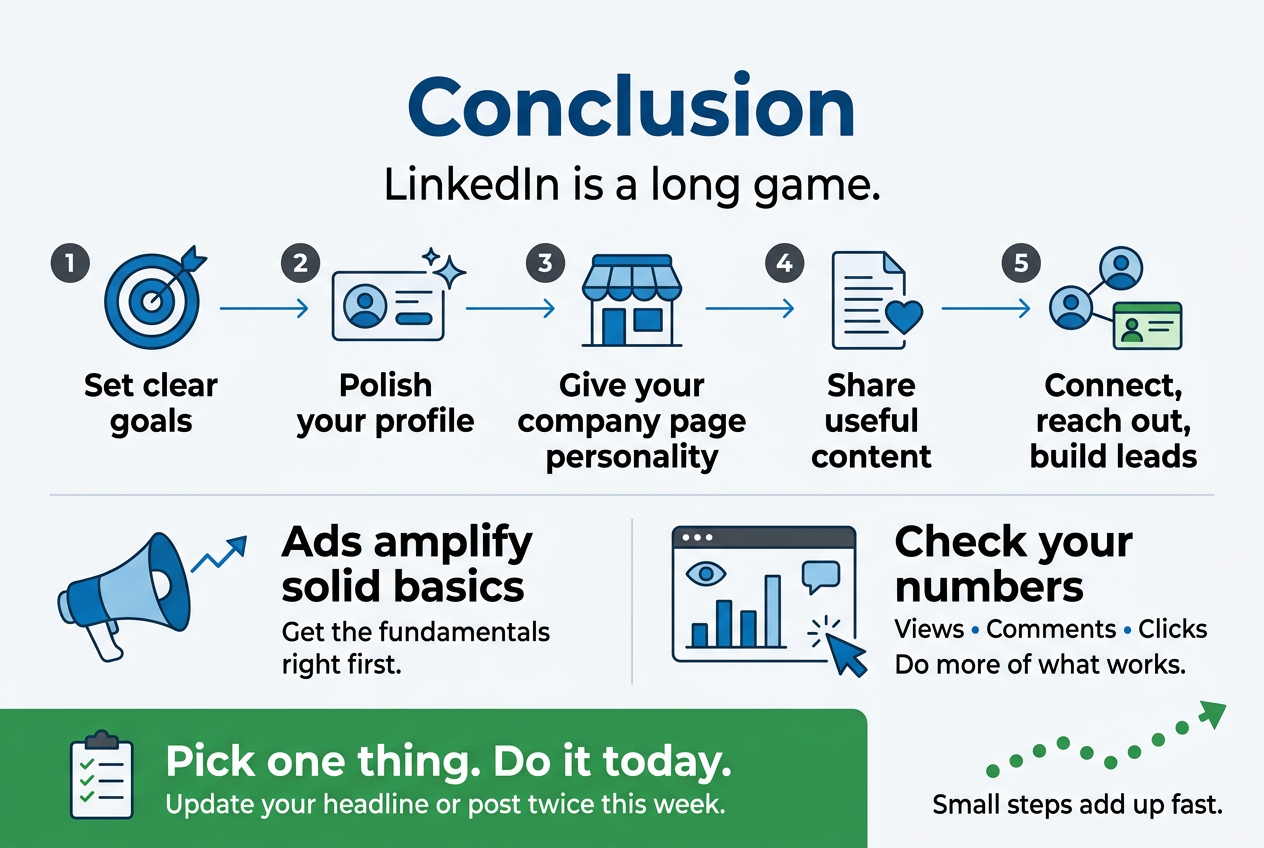
LinkedIn works best when you treat it like a long game. Start with clear goals, polish your profile, and give your company page a real personality. Then share content people actually want to read, connect with folks who matter to your business, and use simple outreach tactics to turn those chats into leads. Ads can give you a boost, but they work best when your basics are already solid.
The last piece is the one people skip: check your numbers. Look at what’s getting views, comments, and clicks, then do more of that and drop the rest. You don’t need to do everything at once. Pick one thing from this guide, like updating your headline or posting twice this week, and do it today. Small steps add up fast, and your future customers are already scrolling.