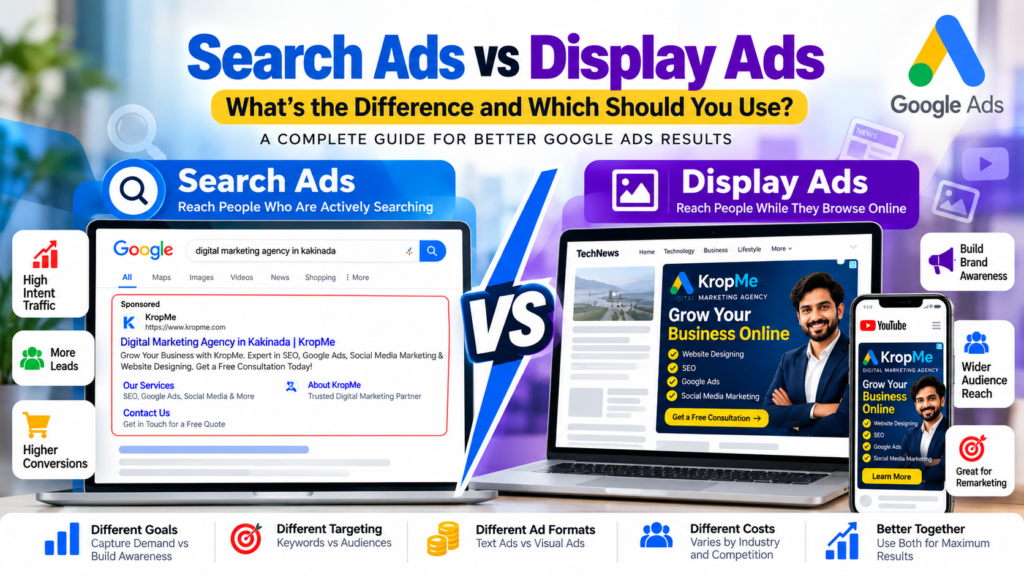
Further, both are powerful Google Ads options, but they work in very different ways. Search Ads are designed to connect with people who are actively searching for products, services, or solutions, while Display Ads can introduce your brand to people as they browse websites, apps, YouTube, and other digital content. Understanding the difference between Search Ads vs Display Ads is important because choosing the right campaign type can affect your advertising goals, targeting, budget, messaging, and overall campaign strategy. For example, a person searching for “digital marketing agency in Kakinada” may already be looking for a service provider. A Display Ad, on the other hand, could introduce a digital marketing agency to someone who is reading an article about growing their business online. So, which one should you choose? The answer depends on what you want to achieve. In this guide, we will explain Search Ads vs Display Ads, their differences, advantages, costs, targeting options, use cases, and how businesses can use both as part of a complete Google Ads strategy.
What Are Search Ads?
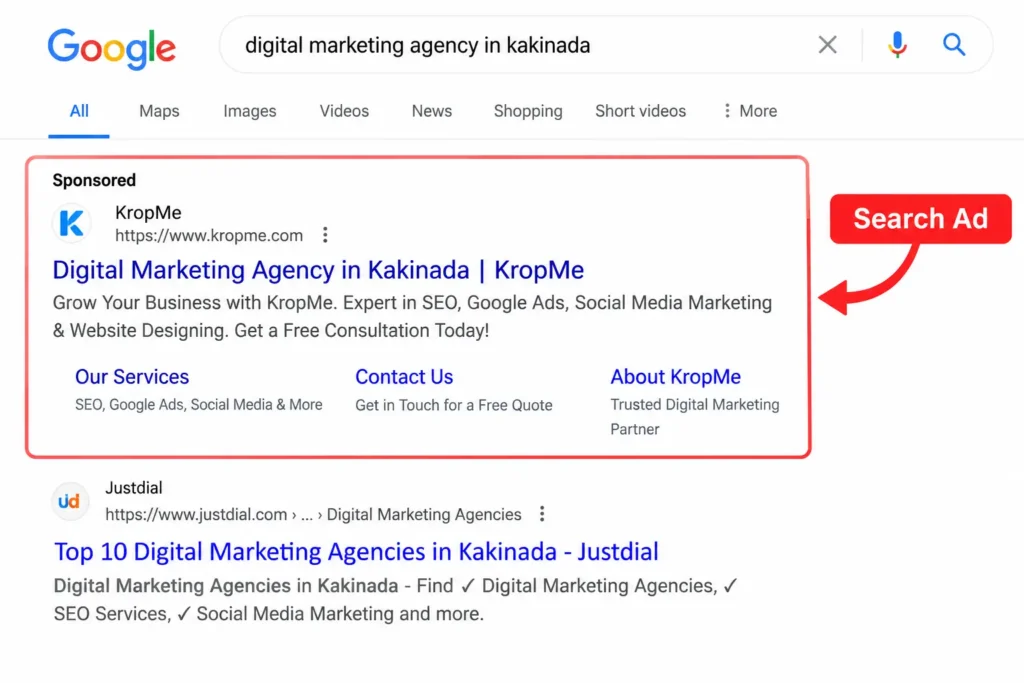
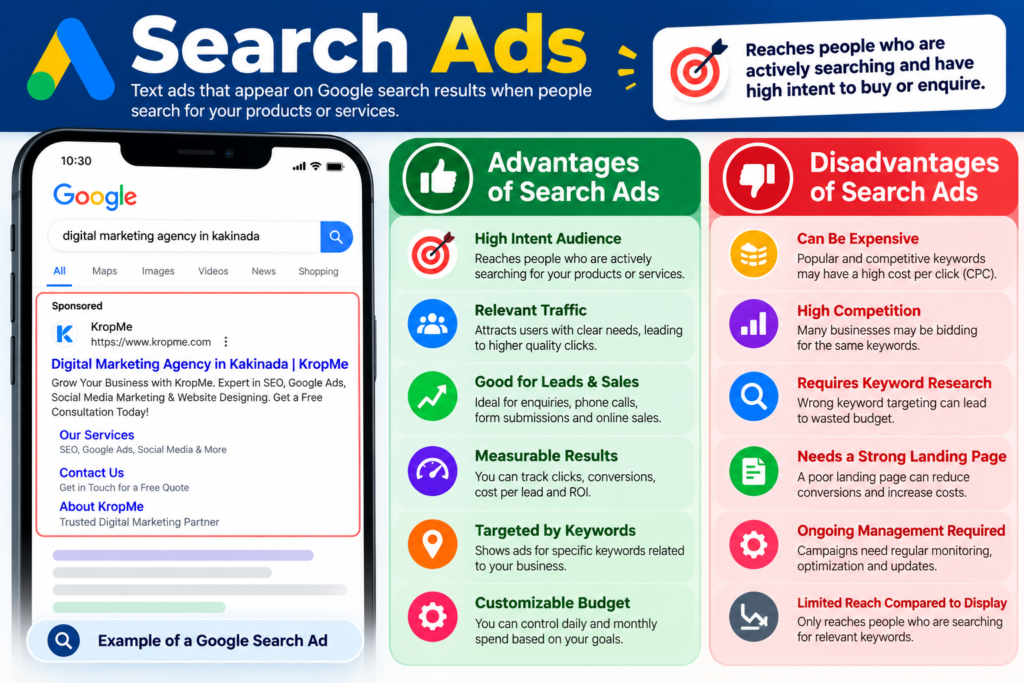
Search Ads are text-based advertisements that can appear on Google search results when people search for terms related to your products or services. For example, imagine someone searches: “best digital marketing agency in Kakinada” Further, businesses targeting relevant search terms may have their ads displayed prominently on the search results page. This makes Search Ads particularly useful for reaching people who already have a specific need or are actively looking for a solution.
How Search Ads Work
Search advertising generally follows a simple process: A user searches for a keyword or phrase on Google. Google identifies relevant ads based on the advertiser’s targeting and campaign settings. Eligible ads enter Google’s ad auction. Relevant ads may appear on the search results page. Also, the user can click an ad and visit the advertiser’s website or landing page. Search Ads are therefore closely connected to search intent. Someone searching for: “website designing company near me” Also, “Google Ads agency in Kakinada”, “SEO services for small business” Moreover, “hospital digital marketing agency” is already expressing an interest in a particular product or service. That makes Search Ads especially useful for businesses that want to capture existing demand.
What Are Display Ads?
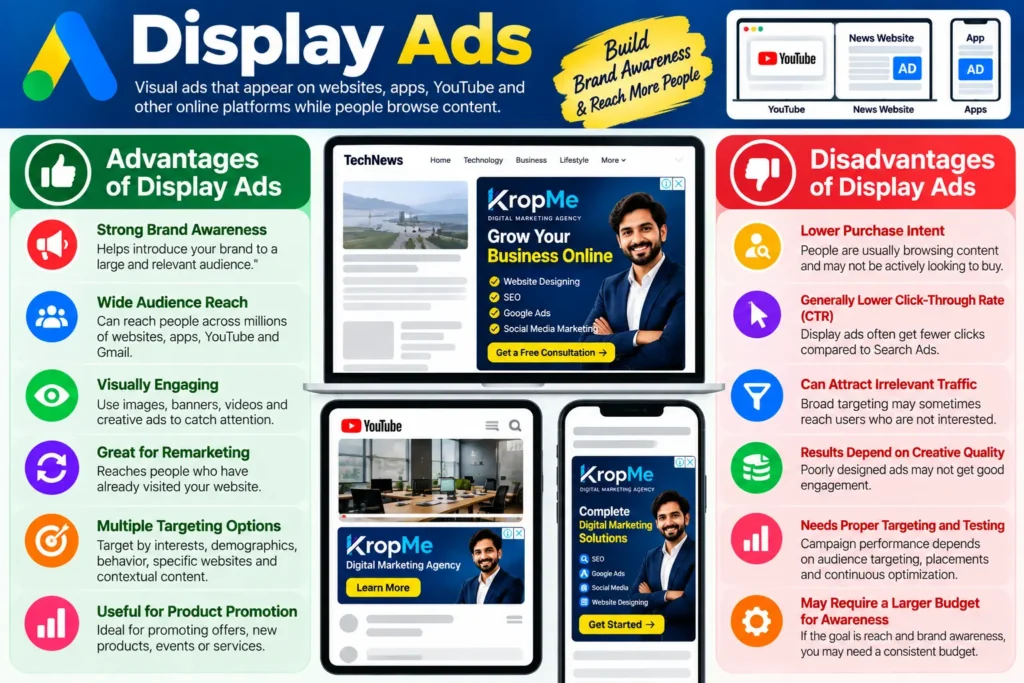
Display Ads are visual advertisements that can appear across Google’s Display Network and other eligible placements. Unlike Search Ads, Display Ads don’t require someone to search for your business at that exact moment.
They can use visual elements such as:
Images
Headlines
Descriptions
Logos
Brand assets
Responsive creative formats
For example, a business selling educational services could use Display Ads to reach relevant audiences while they are browsing online content. Display advertising can therefore be useful for brand awareness, audience building, remarketing, and reaching potential customers earlier in the buying journey.
How Display Ads Work
Moreover, a Display campaign can use audience signals and other targeting options to identify potentially relevant users and show advertisements across eligible placements. Further, for example, a business could use Display advertising to:
Introduce a new brand
Promote a special offer
Remarket to website visitors
Promote a product visually
Reach potential customers before they search
Build awareness among a defined audience
The biggest conceptual difference is simple: Search Ads capture existing demand. Display Ads can help create or influence demand.
Search Ads vs Display Ads: Key Differences
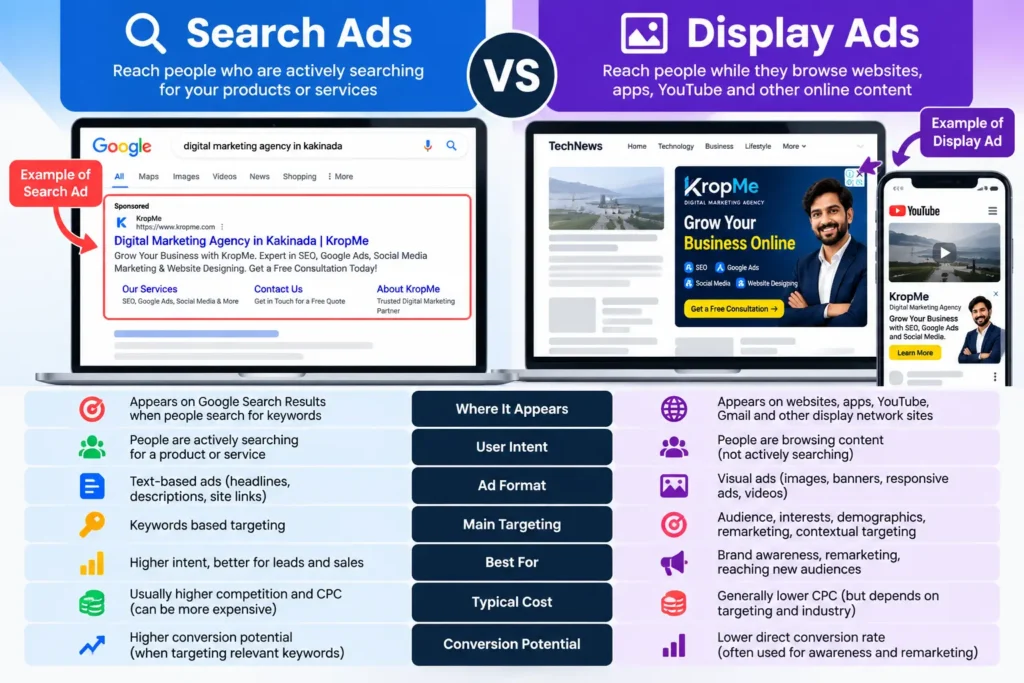
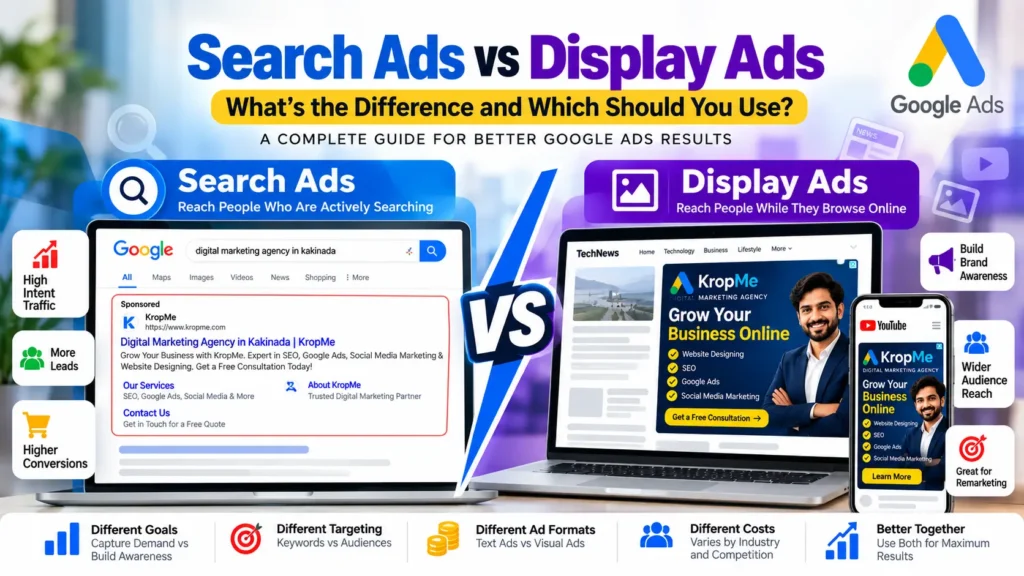
The most important difference between Search Ads and Display Ads is user intent. With Search Ads, a person is actively searching for something. With Display Ads, a person may simply be browsing content when your advertisement reaches them. Consider this example. Someone searches Google for: “SEO services in Kakinada” This person has already identified a need and is looking for a provider. Now imagine another business owner reading an article about how to increase website traffic. They see a Display Ad promoting SEO services. That person may not have searched for an SEO agency yet, but the advertisement could introduce the service at the right moment. Both approaches can be valuable, but they serve different stages of the customer journey.
Feature
Search Ads
Display Ads
Primary purpose
Capture existing search demand
Build awareness and reach audiences
Ad format
Primarily text-based
Primarily visual
User intent
Usually higher
Usually higher
Where ads appear
Google Search results and eligible search placements
Websites, apps and other Display placements
Main targeting approach
Keywords and search intent
Audiences, contextual signals and other targeting
Best for
Leads, enquiries, sales and high-intent traffic
Awareness, remarketing and visual promotion
Creative style
Text-focused
Image and visual-focused
Customer journey
Often closer to conversion
Often earlier in the journey
Remarketing
Available through broader Google Ads strategies
Commonly used
Example
“SEO agency Kakinada” search
Banner promoting SEO services while browsing
The table provides a simplified comparison. Actual campaign capabilities and placements can vary according to Google’s current campaign types, targeting settings, and eligibility.
Search Ads: Advantages and Disadvantages
Search Ads can be highly effective when potential customers are already searching for the products or services you provide.
Advantages of Search Ads
Reach people with active intent Search Ads can connect your business with people who are already searching for relevant solutions.
Strong relevance When the keyword, advertisement, and landing page closely match the user’s search, the experience can be highly relevant.
Useful for leads and enquiries Service businesses can use Search campaigns to generate enquiries, calls, form submissions, and website visits.
Easy to connect advertising with specific services For example, a digital marketing agency could create campaigns around: SEO services Google Ads management Website designing Social media marketing WhatsApp marketing
Measurable performance Businesses can track metrics such as impressions, clicks, conversions, conversion value, and cost-related metrics depending on campaign configuration.
Disadvantages of Search Ads Further, search Ads also have challenges. Competitive keywords can be expensive. High-demand keywords may have strong competition. Poor keyword selection can waste budget. Weak landing pages can reduce conversion performance. Businesses need to monitor search terms, targeting, bids, budgets, and conversions. Further, search Ads are not simply about getting clicks. The goal should be to attract relevant traffic that can contribute to meaningful business results.
display Ads: Advantages and Disadvantages
Display advertising works differently because it can reach people while they are consuming online content rather than actively searching for a specific service. Advantages of Display Ads
Strong visual communication Businesses can use images and other creative assets to communicate their brand.
Brand awareness Display campaigns can help businesses introduce their products or services to potential customers.
Remarketing opportunities Businesses can reconnect with eligible audiences who have previously interacted with their website or brand.
Useful for visual products Industries such as fashion, education, travel, real estate, retail, and consumer products can benefit from visually engaging advertising.
Wider audience reach Display advertising can reach potential customers outside the traditional search-results environment. Disadvantages of Display Ads Also, display Ads can also present challenges. Further, users may not be actively looking for your product. Click-through rates can differ significantly from Search campaigns. Poor creative can result in weak engagement. Broad targeting can attract less relevant traffic. Measuring direct conversions may require careful tracking and attribution. Therefore, Display Ads should be planned around a clear objective rather than simply using them because they can reach a large audience.
Search Ads vs Display Ads: Cost Differences
One of the most common questions businesses ask is: “Which is cheaper, Search Ads or Display Ads?” Further, there isn’t one universal answer. The actual cost can vary depending on factors such as:
Industry
Further, competition
Target audience
Location
Keywords
Ad quality and relevance
Campaign settings
Bidding strategy
Conversion goals
Moreover, market demand
Search Ads often involve strong competition for commercially valuable keywords. For example, keywords related to legal services, insurance, finance, real estate, and other competitive industries can have significant advertising competition. Display advertising can often provide broad reach at different costs, but cheaper clicks do not automatically mean better results. The important question is not: “Which campaign has the cheapest click?” Instead, ask: “Which campaign produces the right business result for my objective?” A ₹20 click that produces a qualified lead may be more valuable than a ₹5 click that produces no meaningful action.
Search Ads vs Display Ads: Targeting Differences
Targeting is another major difference between Search Ads and Display Ads.
Search Ads Targeting.
Search campaigns can use keywords and other settings to reach people based on what they are searching for. For example: “digital marketing agency Kakinada” could indicate a strong commercial intent for a local digital marketing agency. Other important campaign settings can include:
Location
Language
Keywords
Audience signals
Ad schedule
Devices
Budget
Moreover, bidding strategy
Display Ads Targeting
Display campaigns can use different audience and contextual approaches to reach potential customers. Depending on the campaign and current Google Ads options, businesses may work with audiences based on factors such as:
Interests
Further, demographics
Also, website interactions
Remarketing audiences
Contextual relevance
Further, custom audience strategies
This means Display advertising can be useful when you want to reach people based on who they are, what they are interested in, or how they have interacted with your business, rather than only what they are searching for.
When Should You Use Search Ads?
Search Ads are particularly useful when people are already searching for your products or services. Consider Search Ads when your objective is: 1. Generating Leads Service businesses can target searches related to their services and send users to dedicated landing pages. 2. Driving Sales E-commerce and other businesses can use search campaigns to reach users with relevant purchase intent. 3. Getting Phone Calls Local service businesses can use advertising and conversion tracking strategies designed around calls and enquiries. 4.Moreover, promoting High-Intent Services Moreover, examples include:
SEO services
Website development
Digital marketing
Legal services
Home services
Healthcare services
Educational services
If there is meaningful search demand for your service, Search Ads may be an important part of your advertising strategy.
When Should You Use Display Ads?
Display Ads can be useful when your objective goes beyond capturing existing search demand. Consider Display Ads for: 1. Brand Awareness If people don’t know your brand yet, Display advertising can help introduce it to relevant audiences. 2. Remarketing If someone visits your website but doesn’t convert, remarketing can help you reconnect with eligible users. 3. Product Promotion Businesses with visually appealing products or offers can use creative assets to communicate their message. 4. New Business or Product Launches Display campaigns can help generate awareness when you’re introducing something new. 5.Supporting the Customer Journey Display advertising can complement Search campaigns by reaching potential customers at different stages of the buying process.
Can You Use Search and Display Ads Together?
If Yes. In many cases, businesses don’t need to choose only one. Moreover, a well-planned Google Ads strategy can use different campaign types for different purposes. For example: Stage 1: Awareness Use Display advertising to introduce your brand to relevant audiences. Stage 2: Consideration Continue reaching potential customers with useful messaging and relevant offers. Stage 3: Search Intent When people actively search for your service, Search Ads can help capture that demand. Stage 4: Remarketing Use appropriate remarketing strategies to reconnect with eligible audiences. This creates a broader advertising strategy rather than depending on a single campaign type.
Search Ads vs Display Ads for Small Businesses
Small businesses often have limited advertising budgets, so campaign selection is particularly important. Suppose a small business has a monthly Google Ads budget of ₹20,000. Instead of immediately spending the entire amount across multiple campaigns, the business should first determine: 1. What is the primary business objective? 2. Are customers actively searching for the service? 3. Which locations should be targeted? 4. What keywords are relevant? 5. What conversion action matters? 6. Is the website ready to convert visitors? 7. Can conversions be tracked accurately?
For a local service business with strong search demand, Search Ads may be an important starting point. For a business focused on awareness, visual promotion, or remarketing, Display advertising may play a larger role.
The correct strategy depends on the business rather than simply choosing the campaign type with the lowest CPC.
Search Ads vs Display Ads for Local Businesses
Local businesses can use both campaign types, but their objectives should be clearly defined. For example, imagine a business in Kakinada offering digital marketing services. Potential Search Ads could target searches such as:
digital marketing agency Kakinada
SEO services Kakinada
Google Ads agency Kakinada
website designing Kakinada
social media marketing Kakinada
The business could then direct users to dedicated service pages or landing pages. Display advertising could support the same business by promoting its services visually to relevant audiences and by reconnecting with eligible website visitors. For local businesses, other important considerations include:
Accurate location targeting
Relevant local keywords
Strong landing pages
Phone-call tracking
Further, lead-form tracking
Google Business Profile visibility
Clear contact information
Mobile-friendly website design
Local advertising works best when the entire customer journey is considered rather than focusing only on the advertisement.
Search Ads vs Display Ads: Which One Should You Use?
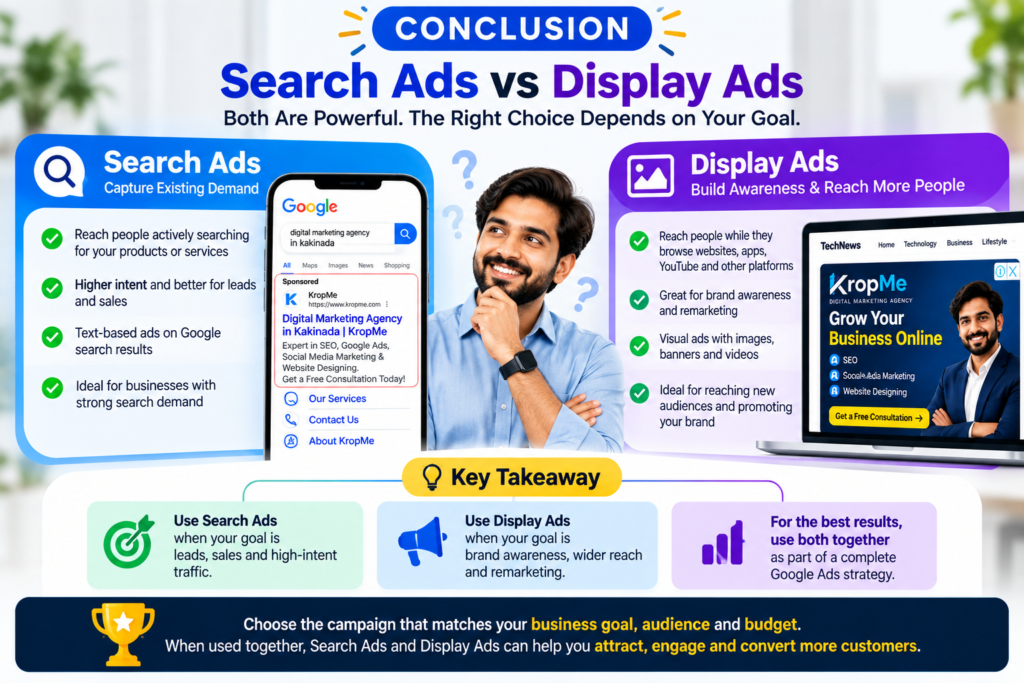
There is no single campaign type that is right for every business. Your choice should depend on your objective.
If people are actively searching for your product or service, Search Ads can help capture that existing demand.
If your objective is to build awareness, reach audiences visually, or reconnect with previous website visitors, Display Ads can play an important role. For many businesses, the most effective approach may involve using both campaign types at different stages of the customer journey.
The key is to match: campaign → Audience → Message → Landing Page → Conversion Goal When these elements work together, your advertising budget has a clearer purpose.
Frequently Asked Questions
Are Search Ads better than Display Ads?
Search Ads and Display Ads serve different purposes. Also, search Ads focus on people actively searching, while Display Ads can help businesses reach audiences while they browse digital content. The appropriate option depends on your advertising objective.
Are Display Ads cheaper than Search Ads?
Not necessarily. Advertising costs depend on competition, targeting, industry, campaign settings, bidding strategy, and other factors. A lower CPC does not automatically mean better campaign performance.
Which is better for lead generation: Search Ads or Display Ads?
Search Ads can be useful for lead generation when there is strong search demand and users are actively looking for the service. Display Ads can also support lead generation, particularly through awareness and remarketing strategies.
Which is better for brand awareness?
Display advertising is commonly used for visual brand awareness because it can present images and other creative assets to audiences across eligible placements.
Can I run Search Ads and Display Ads at the same time?
Yes. Businesses can use different Google Ads campaign types simultaneously when each campaign has a clear objective, audience, budget, and measurement strategy.
Which is better for a local business?
It depends on the business and customer journey. A local business with strong search demand may use Search Ads to capture high-intent searches, while Display advertising can support awareness and remarketing.
Do Search Ads always appear at the top of Google?
Search Ads can appear in prominent positions on Google search results when they are eligible and win an applicable ad auction. Placement is not guaranteed and can vary depending on the auction and campaign circumstances.
Can Display Ads generate direct sales?
Yes, Display campaigns can contribute to conversions and sales, but performance depends on factors such as audience, creative, offer, landing page, campaign objective, and conversion tracking.
Further, should beginners start with Search Ads or Display Ads?
Beginners should start by identifying their business goal and customer journey. If potential customers are already searching for the service, Search Ads may be a logical campaign type to evaluate. If the goal is awareness or remarketing, Display Ads may be relevant.
Final Thoughts
Understanding Search Ads vs Display Ads is one of the first steps toward building a smarter Google Ads strategy. Search Ads and Display Ads are not simply two versions of the same advertising method. They reach people in different situations and can support different marketing objectives. Search Ads focus on capturing search intent. Display Ads can help build awareness, reach audiences, and support remarketing. For businesses, the most important decision is not choosing a campaign because it is popular or appears cheaper. Instead, start with the business objective, understand your audience, select the appropriate campaign type, create relevant advertisements, and measure meaningful conversions. If your business wants more leads, sales, calls, or enquiries from Google Ads, a well-structured campaign is only the beginning. Your keywords, targeting, ad copy, landing pages, conversion tracking, and ongoing optimization all work together to determine the quality of your advertising results. At KropMe, we help businesses build their digital presence through services including Google Ads, SEO, website designing, social media marketing, Meta Ads, WhatsApp marketing, and other digital marketing solutions. The right advertising strategy isn’t about choosing Search or Display simply because one is considered better. It’s about choosing the campaign approach that matches your audience, your business objective, and your customer’s journey.
Start with the goal. Understand the audience. Choose the right campaign. Track the results Then optimize.