Google Ads Complete Beginner Guide: How to Create, Run & Optimize Your First Campaign
Google Ads puts your business in front of people the exact moment they’re searching for what you sell. It’s responsible for over 28% of all digital ad revenue in the U.S., and your competitors are almost certainly using it. But if you’ve ever opened the platform for the first time, you know the feeling. There are dozens of campaign types, bidding strategies, and settings that can drain your budget fast if you get them wrong.
That’s the tricky part. Many small business owners launch their first campaign, watch money disappear for a few weeks, and walk away thinking the platform doesn’t work. The truth is, most early failures come down to a few fixable mistakes in setup, structure, and keyword selection. With the right foundation, even a modest budget can bring in real leads.
This guide walks you through the entire process from scratch. You’ll learn how Google Ads actually works, how to set up your first campaign step by step, and how to optimize it over time so your ad spend turns into actual customers. No prior experience needed.
Understanding Google Ads Fundamentals for Beginners
What is Google Ads and Why It Matters for Your Business?
Google Ads is the platform that puts your business in front of people exactly when they’re looking for what you offer. Think of it as a giant auction house where businesses bid to show their ads on Google search results, YouTube videos, websites across the internet, and more. It used to be called AdWords, but don’t let the name change confuse you. It’s still the same powerhouse advertising system.
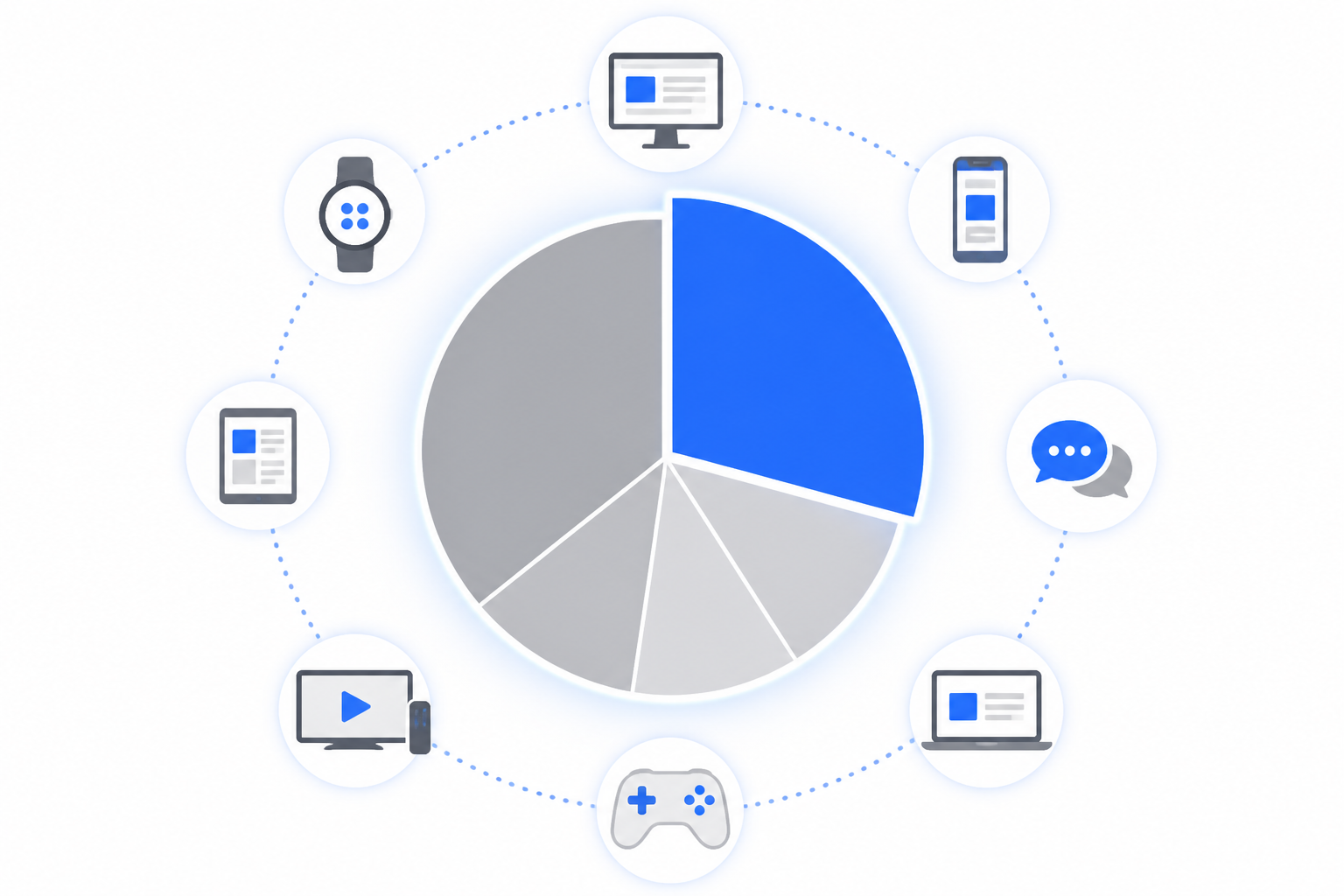
Here’s something that’ll blow your mind. Google Ads controls 28.4% of all digital ad revenue in the United States. That makes it the single largest digital ad publisher in the country. We’re not talking about some niche tool here. This is the big leagues.
Why should you care? Because digital advertising isn’t optional anymore. It’s how businesses grow, especially if you’re just starting out and need to break through the noise. Traditional word-of-mouth and organic growth take time. Google Ads gets you in the game immediately.
The real magic happens because of intent. Someone searching “emergency plumber near me” at 2 AM isn’t casually browsing. They need help right now. Google Ads puts your business right at the top of their search results. That’s targeted traffic that actually converts into customers, not just random visitors who stumble onto your site.
How Google Ads Works: Bidding, Quality Score, and Ad Rank
Google Ads runs on a pay-per-action model. Most of the time, that means cost-per-click or CPC. You only pay when someone actually clicks your ad. Not when they see it. Not when they scroll past it. Only when they click.
You’ve got three main bidding options to choose from. Cost-per-click charges you for each click. Cost-per-mille (CPM) charges per 1,000 impressions, great for brand awareness campaigns. Cost-per-engagement (CPE) charges only when users take specific actions like watching your video or signing up for something.
Starting out? Set a daily budget and let Google handle the rest. Their system will optimize your individual ad bids automatically. This keeps things economical while you’re learning the ropes.
Now here’s where things get interesting. Google doesn’t just give the top ad spot to whoever pays the most. They use something called Quality Score. This is a rating from 1 to 10 that measures how relevant your ad is to what people are actually searching for. Higher score means your ad matches search intent better. And yes, it directly affects how much you pay and where your ad shows up.
Ad Rank determines your actual position on the search results page. Google calculates it using your bid amount, your Quality Score, and any ad extensions you’ve added (like phone numbers or additional links). A business with a smaller budget but killer Quality Score can actually outrank a competitor who’s spending more but has irrelevant ads.
Exploring Different Types of Google Ads Campaigns
Google Ads offers more variety than most beginners realize. Let’s break down your options.
Responsive Search Ads are your bread and butter for text-based advertising. These show up on Google Search Results Pages, and they’re pretty clever. You provide multiple headlines and descriptions, and Google’s AI mixes and matches them to find the best combinations for different searches.
Performance Max Ads take automation to the next level. This goal-based strategy uses machine learning to create and display text, images, and videos across every Google channel. Google claims these campaigns generate 18% more conversions than traditional approaches. That’s a bold claim, but the results speak for themselves.
Discovery Ads appear where people are already engaged. YouTube, Gmail, and the Google homepage. These target users based on their browsing history, interests, and location. Perfect for catching people who aren’t actively searching yet but fit your customer profile.
Display Ads are the visual billboards of the internet. These image or video ads show up across millions of websites in Google’s Display Network, plus Google-owned properties like YouTube. Great for brand awareness and retargeting people who’ve visited your site before.
Shopping Ads are essential if you sell products online. These showcase your products with images, prices, and store names across Google Search, YouTube, Gmail, and the Display Network. People can see exactly what you’re offering before they even click.
Smart Campaigns are designed specifically for beginners. These AI-powered campaigns take less than 15 minutes to set up and handle most of the complexity for you. If your goal is generating leads or driving website sales and you don’t want to become a Google Ads expert overnight, start here.
Understanding Google Ads Costs and Budgeting
Let’s talk money. The average cost-per-click in the United States sits at $1.99. That’s actually the highest in the world. But here’s the thing about Google Ads costs. They vary wildly depending on your industry and location.
What drives your costs? Your targeting strategy, ad creative quality, which keywords you’re bidding on, your headline copy, campaign goals, and bidding method all play a role. Some keywords cost 50 cents per click. Others cost $50 or more.
Many small businesses make a critical mistake right out of the gate. They set a $10 daily budget thinking it’s enough. In competitive markets, that $300 per month might get you fewer than 40 clicks. That’s not enough data to learn anything useful or drive meaningful results.
Marketing experts suggest starting with $1,000 to $1,500 monthly for service-based businesses. That gives you enough volume to gather statistically significant data and actually see what’s working. Split your budget smart during those first 6 to 12 weeks. Put 80% into your core campaign and reserve 20% for testing new keywords, ad variations, or audience segments. This balance lets you maintain consistent performance while discovering new opportunities.
Setting Up Your First Google Ads Campaign Step-by-Step
Pre-Campaign Planning: Goals, Audience, and Keyword Research
Before you spend a single dollar on Google Ads, you need a plan. Random campaigns waste money fast.
Start with SMART goals. Specific, Measurable, Achievable, Relevant, and Time-bound targets keep you focused. Instead of “get more customers,” aim for something like “increase qualified enquiries by 25% in 30 days.” This clarity helps you measure success and adjust when needed.
Next, get inside your customer’s head. What are they typing into Google when they need your service? Focus on high-intent, problem-solving keywords. Someone searching “emergency plumber near me” is ready to call immediately, while “how to fix a leaky faucet” means they’re still exploring DIY options. You want the first person, not the second.
Your existing customer data is gold for campaign planning. Review Google Search Console if your website is already live. This tool shows exactly which search terms already bring people to your site. Build from there.
Google’s Keyword Planner should be your next stop. This free tool reveals search volumes and competition levels for keywords you’re considering. Look for high-intent, low-competition keywords where you can actually compete. A massive, expensive keyword dominated by national brands might drain your budget without results.
Here’s a smart move most beginners skip: research your competitors. Type your target keywords into Google and study the ads that appear. What messaging do they use? What offers stand out? You’re not copying them, you’re learning what already works in your market.
Build your initial keyword list with 10 to 15 relevant terms. Mix local service keywords (like “Austin web designer”), specific problem keywords (like “website redesign for small business”), and competitor terms (brand names of businesses you’re competing against). Keep it focused. A tight, relevant list performs better than a sprawling mess of hundreds of keywords.
Creating Your Google Ads Account and Initial Setup
Setting up your Google Ads account is straightforward. Head to ads.google.com and follow the prompts. You’ll enter your business name, website URL, and billing information. The whole process takes about 15 minutes if you have everything ready.
If you already have a Google account for YouTube or Google My Business, link it during setup. This speeds things up and helps Google understand your business better from day one.
Google typically guides new users through a Smart Campaign setup by default. Smart Campaigns use artificial intelligence to handle most decisions for you. They’re designed for beginners who want results without diving deep into campaign mechanics. For many small businesses, this is actually a great starting point.
Want more control? Switch to Expert Mode during account creation. This unlocks all the advanced features experienced advertisers use. But honestly, if this is your first rodeo, Smart Campaigns let you learn without getting overwhelmed.
One critical step: connect Google Analytics to your website. This free tool tracks what happens after someone clicks your ad. Without it, you’re flying blind. You’ll see clicks but won’t know if those clicks turned into customers. Platforms like Kropme’s Web Designing services often set up Analytics integration from the start, ensuring your website is tracking-ready before you launch any campaigns.
Structuring Your Campaign: Campaigns, Ad Groups, and Keywords
Google Ads uses a three-level structure that beginners must understand. At the top, you have campaigns. Each campaign has its own budget, geographic targeting, and overall goals. Think of this as your big bucket.
Inside each campaign, you create ad groups. Ad groups contain related keywords and the specific ads that match those keywords. This is where organization makes or breaks your results.
At the bottom level, you have individual keywords and ads. Each keyword triggers your ad to show when someone searches for that term.
Here’s an example. Let’s say you run a plumbing business. You might create a campaign called “Local Plumbing Services.” Inside that campaign, you’d have separate ad groups for “Emergency Plumber” and “Drain Cleaning.” Each ad group would have its own focused keywords and ads that speak directly to that specific need.
Poor account structure kills campaigns before they start. Lumping all your keywords into one giant ad group confuses Google’s systems and tanks your Quality Score. Higher Quality Scores mean lower costs and better ad positions, so structure matters.
Focus on five to 10 service-focused keywords per ad group. Keep them tightly related. And right away, add negative keywords to prevent wasted spending. For example, add “-jobs” so your plumbing service ads don’t show up when someone searches for plumbing jobs.
Crafting Compelling Ad Copy and Optimizing Landing Pages
Your ad copy needs to connect immediately. Review what competitors are doing for your target keywords. Look for patterns in their messaging and positioning. What pain points do they address? What promises do they make?
Google gives you space for up to 15 headlines (30 characters each) and up to four descriptions (90 characters each). Use all of them. Include your target keywords naturally. Google mixes and matches these elements to find combinations that perform best, so give the system plenty of options to work with.
Don’t stop at basic headlines and descriptions. Use all available ad extensions like sitelinks and callouts. These make your ad bigger, more useful, and more clickable. Sitelinks take users directly to specific pages on your site. Callouts highlight special features like “24/7 Service” or “Free Consultation.”
Here’s where many campaigns fall apart: your landing page must match your ad’s promise. If your ad says “emergency plumber,” clicking should take people to a page specifically about emergency plumbing services, not your homepage. Message match is critical.
Google evaluates your landing pages on message match, ease of use, load speed, and mobile responsiveness. All of these factors impact your Ad Rank and cost per click. A slow, confusing landing page costs you more money for every click. This is where professional help pays off quickly. Tools like Kropme’s Web Designing services ensure your landing pages are fast-loading, mobile-friendly, and conversion-focused, which directly improves your Google Ads Quality Score and reduces wasted ad spend.
Setting Up Conversion Tracking for Campaign Success
Conversion tracking separates successful campaigns from money pits. Without it, Google can’t optimize your campaigns effectively because it doesn’t know which clicks actually led to valuable customer actions.
First, define what a conversion means for your business. Is it a phone call? A contact form submission? An online purchase? Each business is different. Pick the actions that matter most to your bottom line.
Google offers several tracking methods. Call tracking uses a Google forwarding number so every call from your ads gets recorded and attributed properly. Website conversion tracking requires adding a small piece of code to your confirmation pages (the “thank you” page someone sees after completing an action).
Start simple. Pick one conversion goal and get tracking working properly before you expand. Trying to track everything at once creates confusion and mistakes.
Once tracking is in place, Google’s machine learning can identify patterns in who converts and automatically optimize your bids and targeting. This is where campaigns shift from guesswork to data-driven performance. Professional SEM Marketing services and Online Ads management, like those offered by Kropme, emphasize robust conversion tracking from day one because it’s the foundation of maximizing ROI and achieving specific business goals.
Optimizing and Managing Your Google Ads for Continuous Success
Monitoring Campaign Performance: Key Metrics for Beginners
Let’s be honest upfront. Your campaign won’t be an overnight success. You need to give Google Ads 30 to 60 days to gather enough data before you can expect consistent results. Think of it like planting seeds. You water them, you wait, and eventually, they grow.

During those first few weeks, your job is simple: collect data. Don’t panic if results look underwhelming. Don’t make drastic changes because one day had low clicks. Just watch and learn what your campaign is telling you.
So what should you actually be watching? For lead generation campaigns, focus on cost per conversion (how much you’re paying for each lead), conversion rate (percentage of clicks that turn into leads), ad click-through rate or CTR (how often people click your ad after seeing it), and Return on Ad Spend or ROAS (how much revenue you generate for every dollar spent).
You’ll also want to keep an eye on general metrics like impressions (how often your ads are showing up), cost per click or CPC (what you’re paying each time someone clicks), and the search terms report (the actual phrases people typed before seeing your ad). That search terms report is gold. It shows you exactly what’s on people’s minds when they find you.
After about 30 days, you’ll have enough information to make smart adjustments. Look for keywords that are performing very differently from others. Maybe one keyword is getting tons of clicks but zero conversions. Maybe another has a click-through rate below 2%, which usually means your ad isn’t resonating with searchers. These patterns tell you where to focus your optimization efforts.
Essential Optimization Tactics for Better Results
Now that you have data, let’s talk about what to do with it. Your first priority is blocking irrelevant searches. Open that search terms report regularly and look for queries that have nothing to do with your business. If you’re a plumber and people are searching “plumbing jobs near me,” add “jobs” as a negative keyword immediately. You don’t want to pay for clicks from job seekers.
Next, assess your low-converting keywords. If a keyword has spent two or three times your typical cost per customer without bringing in a single conversion, something’s wrong. Either add more specific negative keywords to refine who sees that ad, or pause the keyword entirely. Don’t throw good money after bad.
On the flip side, raise bids on your proven keywords. When you find search terms that reliably bring in customers at or below your target cost, invest more. These are your winners. Feed them.
Here’s a critical rule: test one change at a time. Want to try a new headline? Great. Change just the headline and wait a week or two to see results. Then test a new call-to-action. If you change everything at once, you’ll never know what actually made the difference. A/B testing might feel slow, but it’s how you learn what works for your specific audience.
Keep experimenting with new ad copy, different visuals in display campaigns, and various bidding strategies. Optimization isn’t a one-and-done task. It’s continuous improvement, week after week.
Leveraging Google Ads Tools and Features
Google gives you powerful tools built right into the platform. Start with your Google Ads dashboard. It provides a quick overview of clicks, impressions, and which campaigns or ads are performing best. Spend a few minutes there each day just to spot any unusual patterns.
The Recommendations tab is like having a free consultant. Google analyzes your campaigns and suggests ways to improve your Quality Score, which includes Expected CTR, Ad Relevance, and Landing Page Experience. Not every recommendation is perfect for your business, but many are worth testing.
Use the Keyword Planner tool for deeper keyword research. As you learn what’s working, you can discover related terms and add them to your campaigns. It shows search volumes and competition levels, helping you find those sweet high-intent, low-competition keywords.
The Ad Preview and Diagnostics tool lets you see exactly how your ads appear in search results without actually clicking them and messing up your metrics. You can check different locations, devices, and search terms to make sure everything looks right.
Don’t forget to set up Linked Accounts. Connect Google Analytics for deeper insights into what visitors do after clicking your ads. If you’re running Shopping Ads, link your Google Merchant Center. These integrations give you a complete picture of campaign performance.
And here’s where professional support makes a real difference. If improving your landing page experience feels overwhelming, platforms such as Kropme offer SEO Optimization services that can boost your overall website quality. Better landing pages mean higher Quality Scores, which lead to lower costs and better ad positions. When every aspect of your digital presence works together, from website design to ad strategy, you get better results for every dollar spent.
Setting Realistic Expectations and Continuous Improvement
Here’s the truth many beginners need to hear: if your campaign isn’t perfect after two weeks, you haven’t failed. Digital advertising is part science, part art, and mostly patience.
Stop obsessing over every single click. Instead, focus on which search terms and ads actually drive real customers to your business. A campaign with 100 clicks and 5 conversions beats one with 500 clicks and 2 conversions every time.
Think of your adjustments as course corrections, not admissions of failure. Pilots constantly adjust their flight path based on wind and weather. You’re doing the same thing with market conditions, competitor activity, and customer behavior.
Continuous monitoring and testing are what separate successful advertisers from those who burn through budgets. Set aside time each week to review performance, test new ideas, and refine your approach. Small improvements compound over time into significant ROI gains.
If campaign management starts feeling too complex or time-consuming, don’t be afraid to seek help. Professional assistance from services like Kropme’s SEM Marketing and Online Ads management can take the burden off your shoulders while applying advanced optimization strategies you might not have time to learn. Sometimes the smartest business decision is recognizing when expert help will deliver better returns than going it alone.
The key takeaway? Google Ads success is a marathon, not a sprint. Stay patient, stay curious, and keep optimizing.
Conclusion
Google Ads can be a powerful way to reach people who are actively searching for the products or services your business offers. But getting good results is not simply about spending more money. It is about reaching the right audience, choosing relevant keywords, creating useful ads, setting an appropriate budget, and continuously improving your campaigns.
If you are new to Google Ads, start with a clear goal and a manageable budget. Focus on highly relevant keywords, write compelling ad copy, and make sure your landing page provides exactly what the visitor expects. Most importantly, track your conversions so you can understand which campaigns, keywords, and ads are actually contributing to your business goals.
As you gain experience, you can gradually experiment with different bidding strategies, audiences, ad formats, and campaign types. Further, avoid making too many changes at once, because consistent testing and analysis will help you understand what works for your business.
Further, whether you run a small local business, an e-commerce store, a professional service, or a growing company, Google Ads can become an important part of your digital marketing strategy when it is planned and managed properly.
If managing campaigns, keywords, budgets, conversion tracking, and optimization feels overwhelming, working with an experienced digital marketing agency can help you make better use of your advertising budget. At KropMe, we help businesses build and manage digital marketing campaigns designed to reach the right audience and generate meaningful business results.
Frequently Asked Questions About Google Ads
1. What is Google Ads?
Google Ads is Google’s online advertising platform that allows businesses to display advertisements across Google Search, YouTube, websites, apps, and other Google properties. Businesses can use it to reach potential customers based on factors such as search queries, interests, location, and audience characteristics.
2. How much does Google Ads cost for beginners?
There is no fixed minimum monthly cost for Google Ads. You can set a daily budget based on your business and advertising goals. A beginner can start with a manageable budget, monitor the results, and increase spending gradually when the campaign starts generating useful results.
3. Is Google Ads suitable for small businesses?
Yes. Google Ads can be useful for small businesses because you can control your budget and target specific locations, keywords, and audiences. For example, a local business can focus its advertising on customers searching for its services in a particular city or area.
4. How long does it take to see results from Google Ads?
Some campaigns can start receiving impressions and clicks shortly after they become active. However, meaningful performance analysis usually requires enough data to understand which keywords, ads, audiences, and landing pages are producing results. The exact timeframe varies depending on the industry, budget, competition, and campaign objective.
5. What are keywords in Google Ads?
Keywords are words or phrases that help Google understand when your advertisement may be relevant to a user’s search. Choosing relevant keywords helps you reach people who are more likely to be interested in your product or service.
6. What is Quality Score in Google Ads?
Quality Score is a diagnostic measure used by Google to estimate the relevance and quality of your ads and keywords. Factors such as expected click-through rate, ad relevance, and landing page experience can influence it.
7. What is conversion tracking in Google Ads?
Moreover, conversion tracking helps you measure valuable actions taken after someone interacts with your advertisement. Depending on your business, a conversion could be a phone call, form submission, purchase, WhatsApp enquiry, appointment, or another important action.
8. Should I use Google Ads or SEO?
Google Ads and SEO serve different purposes. Google Ads can provide paid visibility when your campaigns are active, while SEO focuses on improving your website’s organic visibility in search results. Many businesses use both as part of a broader digital marketing strategy.
9. Can I run Google Ads myself?
Yes. Google Ads is designed to allow businesses to create and manage campaigns themselves. However, successful campaign management involves keyword research, ad creation, conversion tracking, bidding, budget management, and regular optimization.
10. What are common Google Ads mistakes beginners make?
Common mistakes include choosing overly broad keywords, targeting the wrong locations, sending visitors to irrelevant landing pages, failing to track conversions, setting up campaigns without clear goals, and making frequent changes without enough data to evaluate performance.
11. Can Google Ads help generate leads?
Yes. Google Ads can be used to generate leads through website forms, phone calls, enquiry pages, booking forms, and other conversion methods. The results depend on factors such as search demand, competition, targeting, budget, ad quality, and the landing-page experience.
12. Is Google Ads better than Meta Ads?
Neither platform is automatically better for every business. Google Ads can be particularly useful for reaching people who are actively searching for a product or service, while Meta Ads can be useful for reaching audiences based on interests, demographics, behaviors, and other targeting signals. The right choice depends on your business objectives and target audience.
13. How can I improve my Google Ads campaign?
Start by checking your conversion data, search terms, keywords, ad performance, location targeting, bidding strategy, and landing-page experience. Also, remove or adjust underperforming elements and gradually test new keywords, ads, audiences, and landing pages.
14. Can Google Ads work with a small budget?
Yes, but your expectations should match your budget and the level of competition in your industry. With a limited budget, it is often better to focus on a specific location, a smaller group of highly relevant keywords, and a clearly defined business objective rather than trying to reach everyone.
15. Do I need a website to run Google Ads?
Not always. Some Google Ads campaigns can use other conversion destinations or business assets, but having a professional, relevant landing page or website can make it easier to provide information, build trust, and measure customer actions effectively.