Meta Ads Complete Guide: How to Run Facebook and Instagram Ads
Most businesses that run Meta Ads for the first time end up disappointed. They boost a post, pick a random audience, set a small budget, and then wonder why nothing happened. It’s not that the platform doesn’t work. It’s that they jumped in without understanding how it actually works.
Meta Ads sit on top of one of the largest advertising ecosystems ever built. Billions of people use Facebook and Instagram every day. The targeting options are incredibly specific. But all of that power means nothing if you don’t know how to set up a campaign properly, choose the right objective, or read the data coming back to you. There are a lot of moving parts, and each one affects your results.
This guide walks you through the entire process from start to finish. You’ll learn how to set up your first campaign the right way, target the right people, create ads that actually get clicks, and then optimize everything so your budget goes further. Whether you’re brand new to Meta Ads or you’ve been running them with mixed results, this is the resource you’ll want to bookmark.
Explore the Meta Ads Complete Guide to learn campaign setup, audience targeting, budgeting, lead generation, and tips to improve Facebook and Instagram ad results.
Understanding Meta Ads: The Foundation of Social Advertising
What are Meta Ads? A Unified Platform for Facebook & Instagram
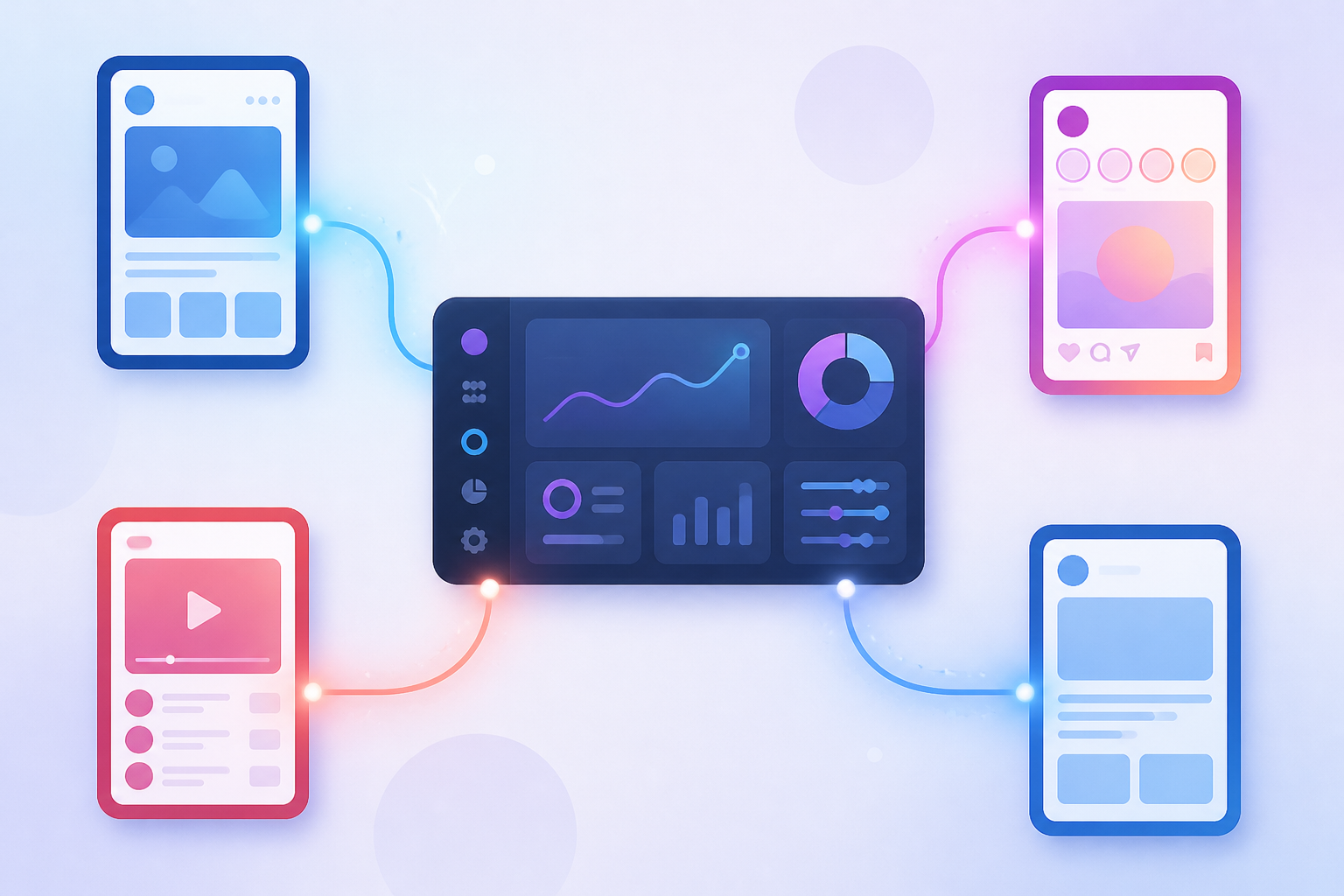
Meta Ads represent the evolution of social media advertising into a streamlined powerhouse. When Facebook rebranded to Meta, the advertising platform expanded to include not just Facebook but Instagram, Messenger, and the Audience Network under one unified system. Think of it as having four major highways all controlled from a single traffic center.
What makes this setup brilliant? You create one campaign and deploy it across multiple platforms without juggling different interfaces or systems. Your ad can appear in someone’s Facebook Feed at breakfast, pop up in their Instagram Stories during lunch, and reach them through Messenger in the evening. All managed from the same dashboard.
The targeting capabilities are what separate Meta Ads from traditional advertising. You’re not just throwing darts blindfolded anymore. Want to reach 35-year-old yoga enthusiasts in Denver who recently engaged with wellness content? Done. Looking for small business owners interested in marketing software? You can find them. This precision turns advertising from a numbers game into a strategic operation.
Meta Ads also gives you format flexibility that traditional media can’t touch. Single images, carousels, videos, collections, instant experiences. Each format serves different goals and audience preferences. A fashion brand might use carousel ads to showcase a product line, while a software company could use video ads to demonstrate features.
The analytics component deserves special attention. Every impression, click, and conversion gets tracked and reported. You’re not guessing whether your ad worked. You know exactly how many people saw it, engaged with it, and took action.
Why Advertise on Meta? Unlocking Business Growth
The numbers tell a compelling story. Over 3 billion people use Meta’s family of apps monthly. That’s nearly 40% of the entire global population scrolling, liking, and shopping across these platforms daily. No billboard or TV spot can compete with that reach.

But reach alone doesn’t build businesses. The targeting precision does. Meta collects behavioral data that reveals not just who people are, but what they do, what they care about, and what they’re likely to buy. You can target people who visited your website last week, uploaded a customer email list to find existing clients, or build audiences based on life events like recent moves or job changes.
Campaign objectives align perfectly with where your business stands today. Just launched and need awareness? Run a reach campaign. Ready to collect leads? Meta has objective options specifically designed for that. Already have traffic but need more sales? Conversion campaigns optimize for purchases, not just clicks.
Cost effectiveness seals the deal. Traditional advertising requires massive upfront investments with uncertain returns. Meta Ads lets you start with $5 per day if you want. You control the spend, adjust in real time, and only pay when people engage. Small businesses compete with enterprise brands because the platform rewards relevance and creativity, not just deep pockets.
Key Components of a Successful Meta Ad Campaign
Every successful Meta ad campaign rests on five pillars working together.
Campaign Objective comes first. What do you actually want? More website visitors, lead form submissions, product purchases, or app installs? Meta optimizes delivery based on your chosen objective, so picking the right one sets the foundation for everything else.
Audience defines who sees your ads. Get this wrong and even brilliant creative falls flat. The platform offers remarkable targeting depth, from basic demographics to complex behavior patterns and custom audience uploads.
Placements determine where your ads appear. Facebook Feed, Instagram Stories, Reels, Marketplace, Messenger. Each placement has different user behaviors and creative requirements. Automatic placements work well for beginners, but strategic manual selection often improves performance.
Budget and Schedule control your spending and timing. Daily budgets spread costs evenly, while lifetime budgets allow Meta’s algorithm to spend more during high-performance periods. Scheduling lets you show ads only during business hours or pause campaigns on weekends.
Ad Creative brings everything together. Your images, videos, headlines, and calls to action either grab attention or get scrolled past. Creative quality often matters more than budget size in determining campaign success.
Setting Up Your First Meta Ad Campaign: A Step-by-Step Walkthrough
Navigating Meta Ads Manager: Your Command Center
Think of Meta Ads Manager as your mission control for everything advertising. This is where all the magic happens.
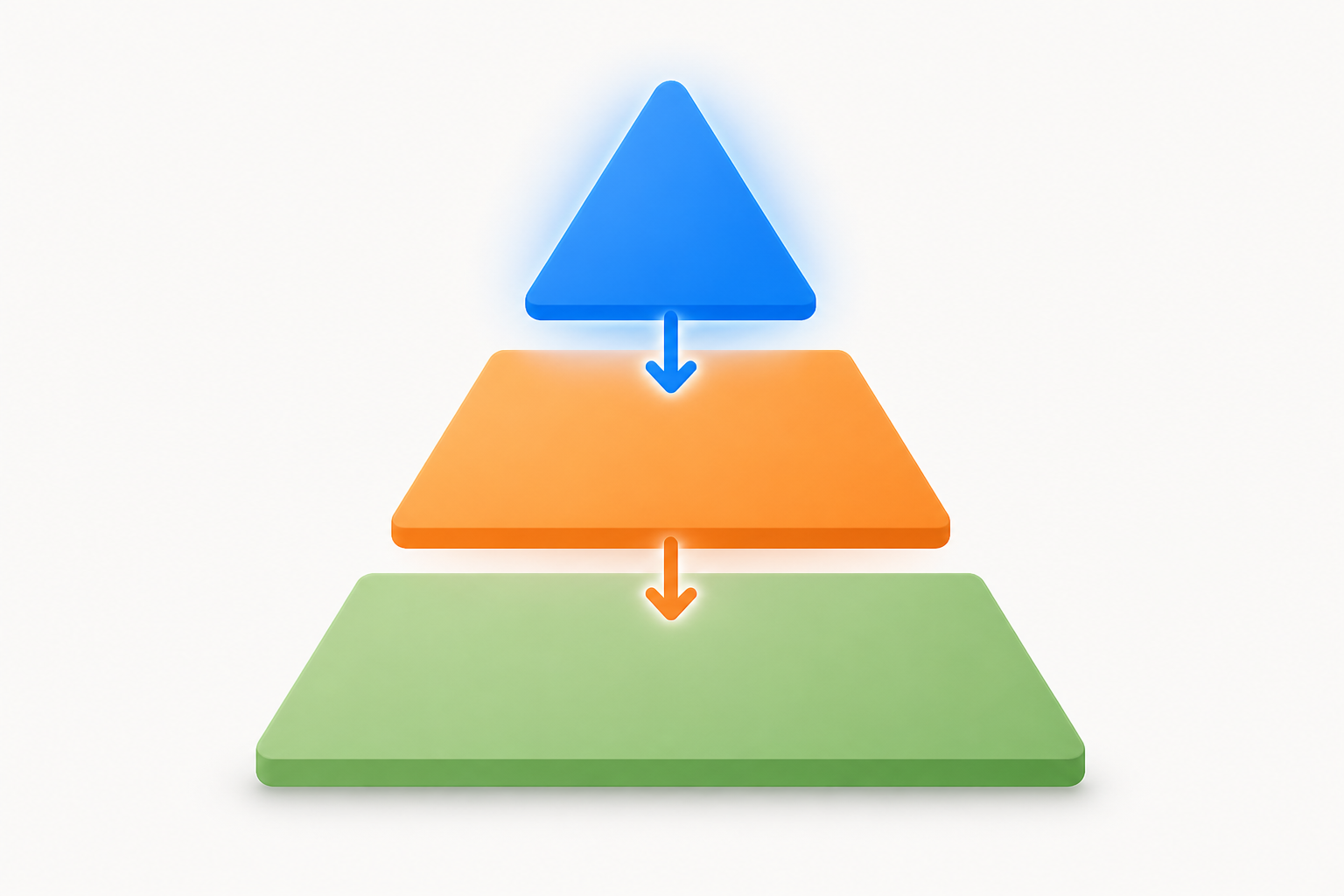
When you first log in, you’ll see three main tabs: Campaigns, Ad Sets, and Ads. Each one plays a specific role. Campaigns sit at the top of the hierarchy, where you choose your overall goal. Ad Sets come next, where you define your audience, budget, and schedule. Ads are at the bottom, where you create the actual visuals and copy people will see.
The left sidebar gives you quick access to everything you need. You’ll find your account overview, reporting tools, and settings here. Spend a few minutes clicking around. Get comfortable with the layout.
Before you launch anything, set up your business account properly. Head to Business Settings and add your business information. You’ll need to connect a payment method too. Meta accepts credit cards, debit cards, and PayPal in most regions. Add a backup payment method to avoid campaign interruptions if your primary card expires.
The interface might feel overwhelming at first. That’s normal. After creating a few campaigns, you’ll navigate it like second nature.
Choosing the Right Campaign Objective for Your Goals
Your campaign objective is the foundation of everything. Pick the wrong one and your results will suffer, no matter how good your ads are.
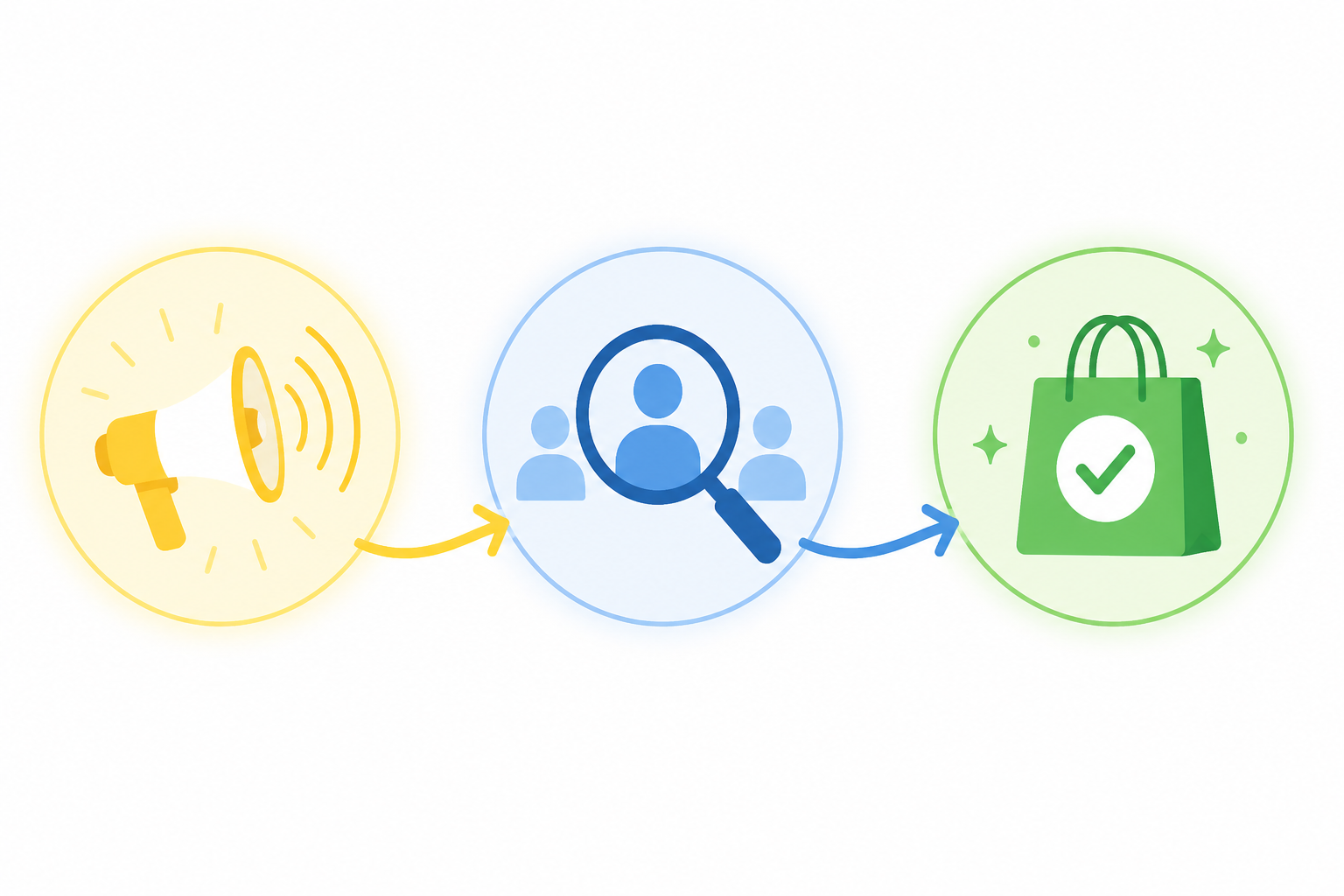
Meta groups objectives into three categories. Awareness objectives focus on getting your brand in front of people. Use Reach when you want to show your ad to the maximum number of people. Brand Awareness works when you want people to remember your business.
Consideration objectives help people learn about your business. Traffic drives people to your website or app. Engagement gets people to like, comment, or share your posts. Lead Generation collects contact information directly within Meta’s platform. App Promotion encourages downloads. Video Views maximizes how many people watch your video content.
Conversion objectives drive specific actions. Conversions tracks purchases, sign ups, or other valuable actions on your website. Catalog Sales showcases products from your catalog to people likely to buy. Store Traffic brings nearby customers to your physical location.
Choose based on your actual business goal right now. New businesses often start with Traffic or Engagement to build an audience. Established businesses with proven products typically go straight for Conversions.
Defining Your Target Audience: Precision Targeting Strategies
Getting your ads in front of the right people makes or breaks your campaign. Meta offers three powerful audience types.
Core Audiences let you target based on demographics, interests, and behaviors. You can narrow down by age, gender, location, language, education, job title, and more. Interests cover everything from hobbies to favorite brands. Behaviors include purchase history and device usage. Stack multiple criteria to get laser focused. A fitness coach might target women aged 25 to 45, interested in yoga and healthy eating, living within 20 miles of their studio.
Custom Audiences reconnect you with people who already know your business. Upload your email list. Install the Meta Pixel on your website to track visitors. People who visited specific pages, added items to cart, or spent time on your site become targetable audiences. You can also create audiences from your Instagram followers or Facebook page fans.
Lookalike Audiences find new people similar to your best customers. Start with a Custom Audience of your top buyers. Meta analyzes their characteristics and finds people who match that profile. This expands your reach while maintaining quality. Start with a 1% lookalike for the closest match, then test broader percentages.
Kropme’s Social & Meta Ads services specialize in building these audience segments strategically, ensuring every dollar reaches people most likely to convert.
Budgeting, Bidding, and Scheduling Your Ads
Money matters, and Meta gives you complete control over spending.
Daily budgets spend up to a set amount each day. Your campaign runs continuously until you pause it. Lifetime budgets spread a total amount across your entire campaign duration. Daily works better for ongoing campaigns. Lifetime suits campaigns with specific start and end dates, like a weekend sale.
Bidding strategies determine how Meta spends your budget. Lowest cost lets Meta get you the most results for your budget. Cost cap tells Meta to aim for an average cost per result. Bid cap sets a maximum bid for each auction. Start with lowest cost when testing. Switch to cost cap once you know your target cost per acquisition.
Scheduling controls when your ads run. Run ads all the time or set specific hours and days. Check your audience insights to see when your followers are most active. A restaurant might run lunch specials only from 10 AM to 2 PM. An e-commerce store selling globally might run 24/7.
Start small. Test with $10 to $20 per day while you learn what works.
Crafting Compelling Ad Creatives: Visuals, Copy, and CTAs
Your creative is what people actually see. Make it count.
For images, use high quality photos at 1080 x 1080 pixels for square formats or 1200 x 628 pixels for landscape. Keep text overlays minimal. Meta prefers images with less than 20% text coverage. Videos perform exceptionally well. Keep them under 15 seconds for Stories, up to 2 minutes for Feed. Square (1:1) and vertical (9:16) formats work best for mobile viewing. Save files as JPG or PNG for images, MP4 for videos.
Your ad copy should grab attention immediately. Lead with a benefit or question. Keep sentences short and readable. Address your audience’s pain points. Use numbers and specifics instead of vague promises. “Get 30% off running shoes this weekend” beats “Save money on athletic gear.”
Call to action buttons guide people on what to do next. “Shop Now” works for e-commerce. “Learn More” suits educational content. “Sign Up” fits lead generation. “Get Quote” matches service businesses. Choose the button that matches your objective and landing page.
Speaking of landing pages, your ad and destination must align. If your ad promises 30% off shoes, the landing page should show that exact offer immediately. Platforms like Kropme integrate Web Designing services with ad creation to ensure this seamless experience, reducing bounce rates and maximizing conversions from every click.
Optimizing and Scaling Your Meta Ad Performance for Maximum ROI
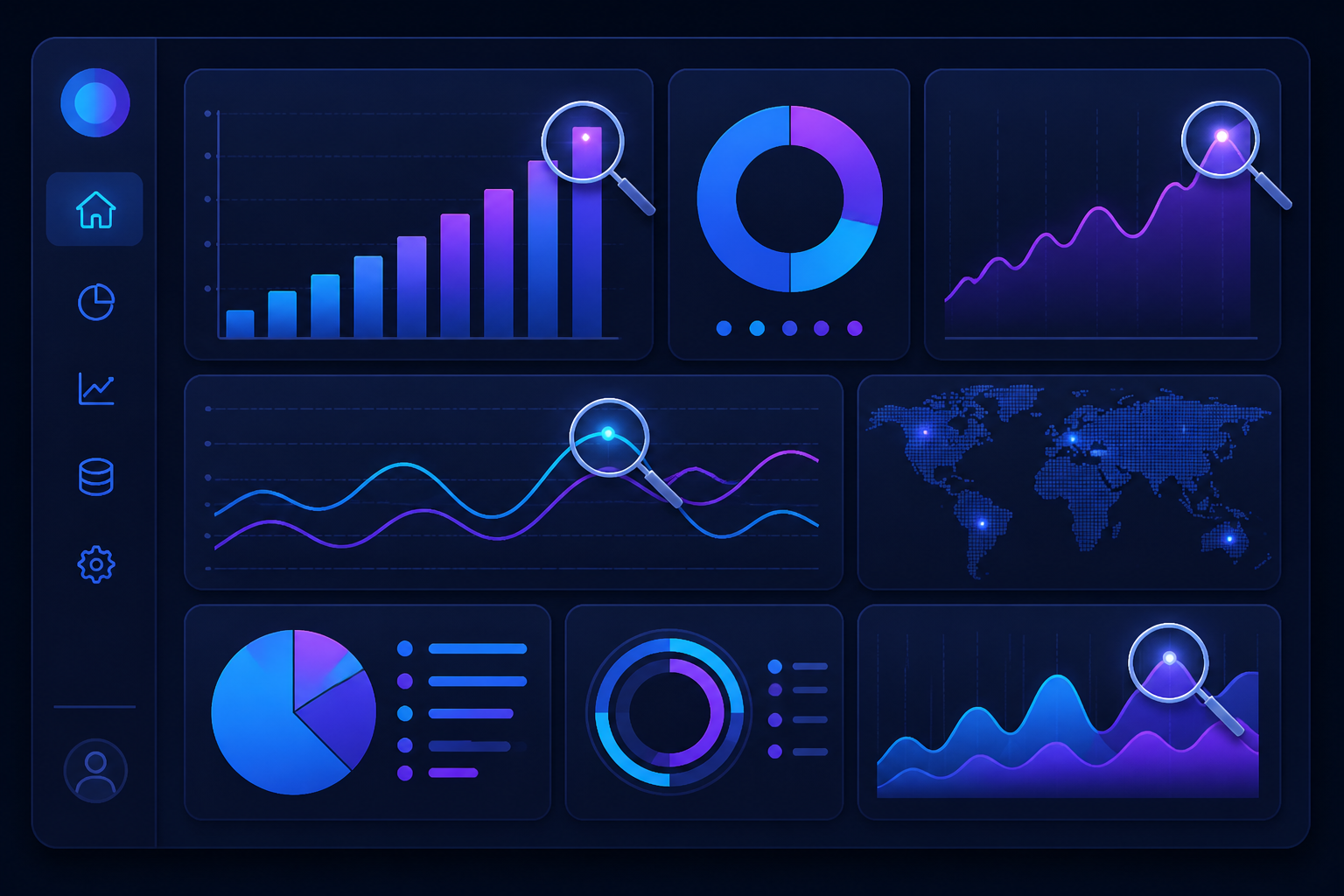
Monitoring Campaign Performance: Key Metrics to Track
You can’t improve what you don’t measure. That’s why tracking the right metrics in your Meta Ads campaign is absolutely critical to your success.
Start with the basics. Impressions tell you how many times your ad was shown, while reach shows the actual number of unique people who saw it. These metrics give you a sense of your campaign’s visibility. But visibility alone doesn’t pay the bills.
Clicks and click-through rate (CTR) matter more. CTR is the percentage of people who saw your ad and actually clicked on it. A low CTR often signals that your creative isn’t resonating with your audience or that you’re targeting the wrong people. Industry benchmarks vary, but anything above 1% is generally considered decent, while 2% or higher suggests you’re doing something right.
Now let’s talk about what really moves the needle. Conversion metrics like leads generated, purchases completed, and cost per result show whether your ads are actually making you money. You might have a gorgeous ad with thousands of clicks, but if it’s not converting, you’re just burning cash. Meta Ads Manager gives you detailed reports that break down every aspect of your campaign performance, from which age groups are converting best to what time of day generates the most sales.
The beauty of Meta’s reporting tools is how deep you can dig. You can segment data by placement, device type, gender, location, and countless other variables. This granular insight helps you spot patterns that casual observation would miss.
A/B Testing Strategies for Continuous Improvement
Want to know the secret to consistently better ad performance? Test everything.
A/B testing lets you compare different versions of your ads to see what actually works. Start with your ad creatives. Try different images or videos. Swap out headlines. Rewrite your copy with different angles. Even small changes can produce dramatically different results.
Your audience deserves testing too. Run identical ads to different audience segments and watch how they perform. Maybe your product resonates better with 35 to 44 year olds than the 25 to 34 demographic you assumed was your sweet spot.
Don’t forget about placements and bidding strategies. An ad that crushes it in the Instagram feed might flop in Stories. The same goes for your bidding approach. Sometimes a cost cap strategy outperforms lowest cost, even though the latter seems like the obvious choice.
Here’s the thing about testing. It’s not a one and done activity. Iterative testing means you’re constantly running experiments, learning from the data, and refining your approach. Every test teaches you something that makes your next campaign smarter.
Retargeting and Lookalike Audiences: Expanding Your Reach
Most people don’t buy on their first visit. That’s where retargeting becomes your best friend.
Retargeting campaigns let you re-engage warm audiences who’ve already shown interest in your business. Maybe they visited your website, watched your video, or added items to their cart but didn’t complete the purchase. These people are gold because they’re already familiar with your brand. A well-timed retargeting ad can be the gentle nudge that converts a browser into a buyer.
Lookalike audiences take a different approach to expansion. Meta analyzes your existing high-value customers and finds new people who share similar characteristics, behaviors, and interests. You’re essentially cloning your best customers. The algorithm does the heavy lifting, identifying prospects you might never have found through manual targeting.
These strategies work incredibly well together. Use lookalike audiences to find new customers, then retarget the ones who engage but don’t convert immediately.
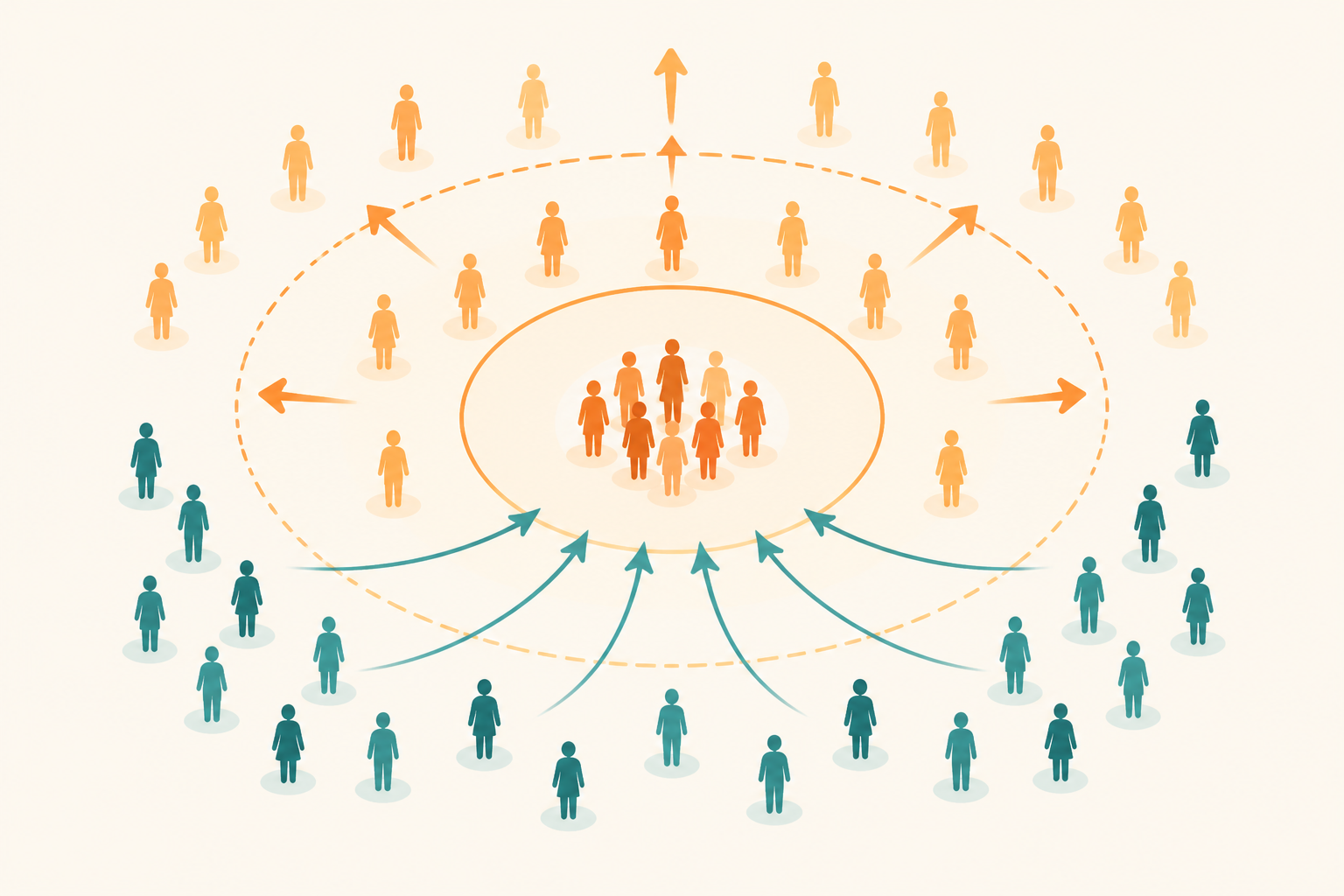 This combination maximizes conversion rates while steadily expanding your customer base.
Scaling Successful Campaigns and Troubleshooting Common Issues
Finding a winning campaign feels amazing. Scaling it without killing performance is the real challenge.
The golden rule? Scale gradually. When you’ve got a high-performing ad set, resist the urge to triple your budget overnight. Sudden changes can disrupt the Meta algorithm’s learning process and tank your results. Instead, increase your budget by 20 to 30 percent every few days. This lets the algorithm adjust without losing its optimization groove.
Watch for common delivery issues as you scale. Sometimes your ad stops delivering because your audience is too small or your bid is too low. Other times, ad fatigue sets in when people see the same creative too many times. Performance drops are normal, but you need to diagnose them quickly.
Know when to pause or adjust. If an ad set hasn’t delivered results after spending a decent chunk of budget, cut your losses. Not every campaign will be a winner, and that’s okay. The key is recognizing underperformers early before they drain your resources.
For businesses dealing with complex scaling challenges or persistent performance issues, professional online ads management can provide the expertise needed to navigate these obstacles and optimize campaigns at scale.
Best Practices for Long-Term Meta Ad Success
Meta’s advertising platform never stops evolving. Algorithm changes happen regularly. What worked six months ago might not work today.
Stay on your toes. Monitor platform updates and adapt your strategies accordingly. Join Meta advertising communities where professionals share insights about recent changes and their impact.
Always focus on providing genuine value to your audience. The algorithms reward ads that people actually want to see. If you’re constantly trying to game the system with clickbait or misleading content, you’ll lose in the long run.
Combat ad fatigue by refreshing your creatives regularly. Even your best-performing ad will eventually wear out its welcome. Keep a pipeline of new images, videos, and copy variations ready to swap in when performance dips.
Finally, remember that Meta Ads shouldn’t exist in a vacuum. Your advertising efforts should integrate seamlessly with your broader digital marketing strategy. Align your ad messaging with your email campaigns, content marketing, and overall brand positioning. This synergy creates a cohesive customer experience that amplifies your results across every channel.
Conclusion: Make Your Business Grow with Meta Ads
Meta Ads have become a powerful way for businesses to connect with their target audience, promote their products and services, generate leads, and increase sales. Whether you own a small business, run an online store, provide professional services, or manage a growing brand, Facebook and Instagram advertising can help you reach potential customers more effectively.
However, successful advertising is not just about spending money on ads. It is about understanding your audience, choosing the right campaign objective, creating engaging ad creatives, setting a suitable budget, and continuously analyzing campaign performance. Even a small advertising budget can provide valuable insights when your campaigns are planned carefully and optimized regularly.
If you are new to Meta Ads, start with a clear business goal and test different audiences, images, videos, and ad messages. Moreover, monitor important metrics such as reach, impressions, cost per lead, click-through rate, and conversions to understand what works best for your business. Avoid making frequent changes without enough data, and focus on generating meaningful results rather than simply increasing likes or views.
For local businesses, including shops, educational institutions, hospitals, restaurants, and service providers, Meta Ads can be particularly useful for reaching relevant audiences in specific locations and encouraging enquiries through lead forms, WhatsApp, or your website.
At KropMe Digital Marketing Agency, we believe that effective digital marketing starts with the right strategy, relevant content, and consistent optimization. By applying the techniques covered in this Meta Ads Complete Guide, you can build a stronger advertising strategy and work towards sustainable business growth.
Remember, every successful advertising campaign begins with a clear objective, but long-term success comes from testing, learning, and improving. Start planning your Meta Ads campaign today and turn your advertising investment into meaningful opportunities for your business.
Frequently Asked Questions (FAQs) About Meta Ads
1. What are Meta Ads?
Meta Ads are paid advertisements displayed across platforms owned by Meta, including Facebook, Instagram, Messenger, and eligible placements on other Meta advertising surfaces. Businesses use them to increase brand awareness, drive website traffic, generate leads, promote products, and achieve sales objectives.
2. How do Meta Ads work?
Moreover, meta Ads work through Meta Ads Manager, where advertisers select a campaign objective, define their audience, set a budget, create advertisements, and publish their campaigns. Meta’s delivery system uses campaign settings, available signals, and performance predictions to help deliver ads to people likely to take the desired action.
3. How much does it cost to run Meta Ads in India?
There is no fixed price for Meta Ads in India. The cost depends on your target audience, industry, competition, campaign objective, ad quality, and placement. You can begin with a small test budget, monitor the results, and increase spending when your campaign demonstrates promising performance. Remember to account for applicable taxes and any additional creative or management costs.
4. Are Meta Ads and Facebook Ads the same?
Facebook Ads are part of the broader Meta Ads ecosystem. The term Meta Ads includes advertising across Facebook, Instagram, Messenger, and other eligible placements. Advertisers can manage many of these campaigns through Meta Ads Manager.
5. How do I create a Meta Ads campaign?
To create a Meta Ads campaign, follow these steps:
- Open Meta Ads Manager and select Create.
- Choose an objective that matches your business goal.
- Configure your campaign and ad set settings.
- Select your audience, locations, placements, and budget.
- Create your advertisement using suitable images, videos, headlines, and copy.
- Add your destination, such as a website, lead form, or WhatsApp, where supported.
- Review your settings and publish your campaign.
- Monitor performance and optimize based on results.
The available settings may vary depending on the campaign objective and account setup.
6. Which Meta Ads campaign objective is best for beginners?
The best objective depends on what you want to achieve. Awareness can help introduce your business to more people, Traffic can encourage visits to a destination, Engagement can encourage interactions, Leads can collect enquiries, and Sales can help drive purchases. Further, choose an objective based on your actual business goal rather than selecting one simply because it is popular.
7. Can Meta Ads generate leads for small businesses?
Yes. Meta Ads can help small businesses generate leads through instant forms, messaging conversations, calls where supported, and website enquiry forms. Results depend on audience relevance, the offer, ad creative, follow-up speed, and the quality of the lead-generation process.
8. What is the difference between boosting a post and running Meta Ads?
Boosting a post is a simplified way to promote existing content, often with limited setup options. Creating campaigns through Meta Ads Manager generally offers more control over campaign objectives, audience settings, placements, testing, optimization, and reporting. Moreover, the better option depends on your goals and the level of control you need.
9. How can I improve Meta Ads performance?
You can improve campaign performance by testing different creatives, refining your audience, using a clear call to action, ensuring your landing page works well on mobile devices, and tracking meaningful conversions. Review the results regularly, avoid unnecessary changes during the learning period, and make decisions based on sufficient data rather than assumptions.
10. What is Meta Pixel, and why is it important?
Meta Pixel is a website tracking tool that can help measure actions people take after interacting with your ads. When configured correctly and used in accordance with applicable privacy requirements, it can support conversion measurement and campaign optimization. Depending on your setup, Conversions API can complement browser-based tracking.
11. Are Meta Ads better than Google Ads?
Neither platform is always better. Meta Ads are useful for reaching audiences through social content, building awareness, and generating demand. Google Ads can be effective when people are actively searching for specific products or services. The right choice depends on your audience, industry, budget, and business objectives. Some businesses benefit from using both platforms together.
12. How long does it take to see results from Meta Ads?
Some campaigns may generate clicks or enquiries soon after launch, while others need more time to gather useful performance data. Results depend on the campaign objective, audience, budget, offer, and competition. Further, allow sufficient time for meaningful evaluation, and assess lead quality or sales rather than relying only on early engagement metrics.
13. Do I need a website to run Meta Ads?
No. Also, a website is not always necessary. Depending on your campaign and account eligibility, you may direct people to an instant lead form, WhatsApp, Messenger, or another supported destination. Further, however, a professional website can strengthen credibility, provide detailed information, and help measure website conversions.
14. Can I run Meta Ads for a local business in Kakinada?
Yes. Local businesses in Kakinada can use Meta Ads to reach relevant audiences within selected geographic areas. Also, for example, a garden store can promote plants and landscaping services, a college can advertise admissions, and a hospital can promote appropriate services. Choose location settings carefully and ensure that your advertisements comply with Meta’s advertising policies.
15. Should I hire a digital marketing agency to manage Meta Ads?
Hiring an experienced digital marketing agency may be helpful if you lack the time or expertise to plan campaigns, create advertisements, configure tracking, analyze performance, and optimize spending. Before hiring an agency, clarify its service fees, advertising budget, reporting process, deliverables, and account ownership arrangements.
16. How can KropMe help with Meta Ads?
KropMe Digital Marketing Agency helps businesses develop digital marketing strategies that can include Meta Ads campaign planning, audience targeting, creative development, lead-generation campaigns, performance monitoring, and optimization. The right strategy depends on your business goals, target audience, and available budget.
If you want to improve your business’s online reach and generate more relevant enquiries, explore the digital marketing services available at KropMe.com and choose a strategy that fits your needs.